9 Best WooCommerce Upsell Plugins to Increase Average Order Value

Upselling is one of the most reliable ways to grow revenue without spending more on customer acquisition. Instead of finding new buyers, you sell more to the people already purchasing from you.
WooCommerce does not include strong upsell features by default. To display post-purchase offers, product bundles, one-click upgrades, or checkout add-ons, you need a dedicated plugin.
This guide covers 9 of the best WooCommerce upsell plugins available today. Each entry includes what the plugin does, key features, verified pricing, honest pros and cons, and who it suits best, so you can choose the right tool without wading through marketing copy.
Table of Contents
What Is a WooCommerce Upsell Plugin?
A WooCommerce upsell plugin lets you show customers a higher-value product, bundle, or add-on at the right moment in the buying journey — on the product page, cart page, checkout page, or immediately after purchase.
The goal is to increase the average order value (AOV) of each transaction. Done well, upselling also improves the customer experience by surfacing products customers actually need.
How to Choose the Right WooCommerce Upsell Plugin?
Before comparing plugins, identify what type of upselling your store needs:
- Post-purchase one-click upsells — shown after checkout, no re-entering payment details
- Cart page upsells — shown when a customer is reviewing their cart
- Checkout page add-ons — optional extras added at the final step
- Product page bundles — group products together to increase basket size
- Smart recommendations — algorithm-driven suggestions based on purchase history
Then evaluate each plugin against these four criteria:
- Fit: Does it support the upsell type your store needs?
- Ease of setup: Can you configure it without developer help?
- Pricing: Is the cost justified by your expected revenue lift?
- Support: Is help available when something breaks?
9 Best WooCommerce Upsell Plugins
Here are some of the best WooCommerce upsell plugins to consider:
ShopLentor (formerly WooLentor) — All-in-One WooCommerce Builder
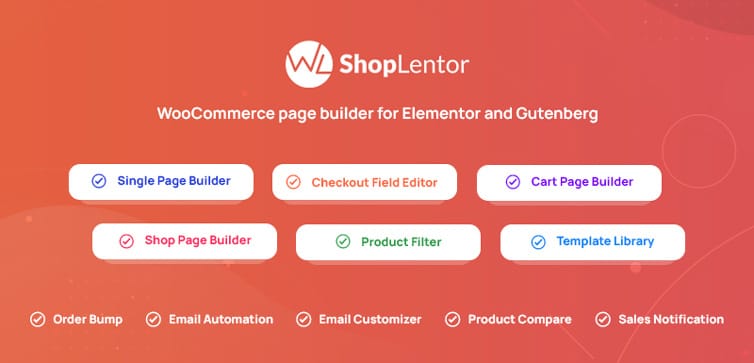
ShopLentor (formerly known as WooLentor) is a WooCommerce page builder addon for Elementor and Gutenberg. It is used by over 100,000 stores across 120+ countries. Among its many features is an upsell widget that lets you display recommended products on product pages, cart pages, and checkout pages — all without writing code.
ShopLentor is a broader all-in-one tool rather than a dedicated upsell plugin. Its upsell functionality is one module among many, which makes it a good fit if you are already using Elementor and want upsell features built into your existing workflow rather than managing a separate plugin. Note that upsell blocks are not available in the free version.
Features:
- Upsell widget for product, cart, and checkout pages
- Control over column count, product sort order (date, price, popularity, title, or random)
- Compatible with Elementor (120+ widgets) and Gutenberg (85+ blocks)
- Includes 36+ built-in modules: wishlist, compare, quick view, abandoned cart recovery, and more
Pricing: Woolentor provides four different licensing options to choose from based on your needs and budget.
With the annual purchase, you will get-
- Half-Year Haven: $59 / Half Year for 5 Websites.
- Plus: $99 USD / Yearly for 5 Websites.
- Growth: $199 USD / Yearly for 100 Websites.
- Growth One Time: $399 for 100 Websites (One-time payment).
✅ Pros
- Works with both Elementor and Gutenberg — rare among WooCommerce builders
- Replaces multiple plugins with one tool: wishlist, compare, variation swatches, AJAX search
- Active development, regularly updated with new features
❌ Cons
- Upsell blocks require the paid version not available in the free install
- The sheer number of features can be overwhelming for stores that only need upselling
- Adds significant functionality you may never use if your store has simple needs
Best For: Elementor or Gutenberg users who want upsell features as part of a broader WooCommerce builder.
Positive Response: On average, this plugin has a 4.5 out of 5-star rating and 267+ reviews, which means it’s really popular!
One-Click Upsell Funnel
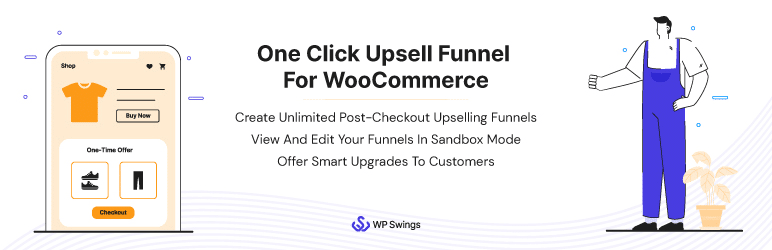
One-Click Upsell Funnel lets you display upsell and downsell offers immediately after a customer completes checkout. Customers can accept the offer with a single click — no need to re-enter payment details. This removes the main friction point of post-purchase upselling and is the most common reason customers decline post-purchase offers.
You can build multiple sales funnels with unlimited offer steps, and track performance via Google Analytics and Facebook Pixel. Personalized offers can be configured based on what a customer has just purchased. The free version supports Cash on Delivery only; the paid version adds support for Stripe, PayPal, and other major gateways.
Features: Features of this WordPress upsell plugin include:
- If a user skips an offer, the plugin will show them more relevant and helpful products to entice them back!
- With the help of Google Analytics and Facebook Pixel, you can easily track your upselling performance!
- You may create an infinite number of funnels since it allows you to establish numerous ones.
- It allows you to give your clients the same goods as upgraded versions.
- You may give your customers personalized promotional offers based on their purchases.
Pricing:
There are three different premium plans available:
- 1 site which will cost $69,
- 5 sites which will cost $199 or
- The 10-site plan, which will cost $439 respectively.
A free version with fewer features and payment choices is also available.
Pros:
- Top-notch customer service.
- It works well on a multisite, and it’s very simple to set up.
- Easy installation.
- Proper documentation is available for all the settings.
Cons:
- The payment method is not up to the mark.
Positive Response: This plugin has a 4.6 out of 5 stars rating on average, with 76 reviews.
UpsellWP — WooCommerce Upsell and Order Bumps
UpsellWP is a dedicated WooCommerce upsell plugin trusted by 4,000+ stores, with a 4.9/5 rating on WordPress.org — the highest of any plugin in this list. It covers the full customer journey: product page recommendations, cart upsells, checkout order bumps, and post-purchase offers. Everything is managed through a campaign-based interface, meaning you create a campaign type, set the target products and conditions, and activate it — no page builder or coding required.
The free version covers frequently bought together, cart upsells, checkout order bumps, and one-click upsells. The Pro version adds post-purchase funnels, A/B testing, automated product recommendation algorithms, upsell popups, and unlimited campaigns. It is built by Flycart, the same team behind Discount Rules for WooCommerce, which has 300,000+ customers — so ongoing development and support are well-established.
Features:
- Covers 10+ upsell types: frequently bought together, cart upsells, checkout order bumps, post-purchase offers, upsell popups, next-order coupons, and more
- Campaign-based setup — create, target, and activate offers without coding
- Smart product recommendation engine — automates suggestions based on purchase history (Pro)
- A/B testing to compare offer variants and optimise for conversions (Pro)
- Built-in analytics to track conversion rates and revenue per campaign
Pricing:
- Free version — cart upsells, checkout order bumps, frequently bought together, one-click upsells
- Pro — 75/year
- 14-day money-back guarantee on all paid plans
✅ Pros
- Highest rating (48/5) and most active installs (4,000+) of any dedicated upsell plugin in this list
- Free version is genuinely useful — not artificially crippled to force an upgrade
- Covers every upsell placement in one plugin — reduces need to stack multiple tools
❌ Cons
- Post-purchase funnels and A/B testing require the Pro version
- Relatively newer plugin compared to some others — smaller community than established names like YITH
Best For: Stores that want one plugin covering all major upsell placements, with a strong free version to start and room to grow into Pro features.
WordPress.org Rating: 4.9/5 (4,000+ active installs)
YITH WooCommerce Frequently Bought Together
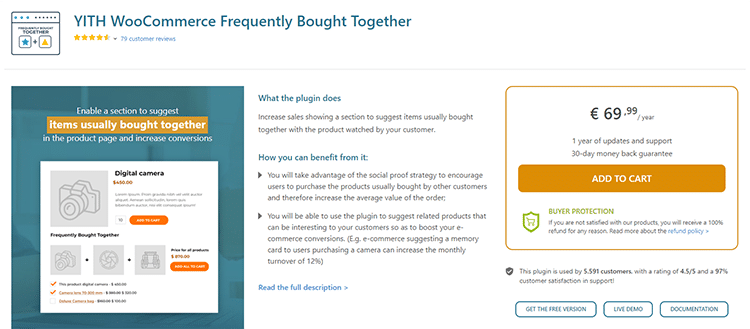
This plugin is a great way for e-commerce store owners to group together products that customers often buy. This WooCommerce Upsell Plugin helps you to suggest products to a highly specific and selected target. This can be an excellent strategy if you want higher average order values, since your clients might end up purchasing more items at once!
Features: This plugin has the following features:
- This plugin allows you to choose how many related items to display and whether or not you want them to be displayed in random order.
- You can select the display location of your upsell product.
- It allows you to offer discounts on associated items so that people will buy.
- Your customer may also manually add related goods in this WooCommerce upsell plugin. This modification might enhance the relevance of the items and boost cross-selling and upselling rates.
- Customized image size is a great way to ensure that your product will match the main item it’s being paired with.
Pricing:
This plugin’s premium version costs € 69.99 per year, with one year of updates and support included.
The free version of this plugin has only 3 features, but if you want more than just three options, then upgrading to a paid plan will be necessary. The free version includes:
- Customize the title of your frequently bought-together product sections to make them more interesting and engaging.
- Allow users to create as many upsell items as they want.
- The text color on the Add to Cart and Frequently Bought Together sections can be changed.
Pros:
- It’s simple to use, and it can be used right away.
- Easily add your products to the wishlist with this simple and effective solution.
Cons:
- The free version isn’t adequate.
Positive Reviews: The rating for this plugin is 4.51 out of 5 stars with 79 customer reviews!
WooCommerce Product Options

The WooCommerce Product Options plugin gives store owners full control over product customization while reducing manual work. It allows you to add a wide range of option types, including checkboxes, radio buttons, text fields, file uploads, and more. Options can be created easily through an intuitive interface or by using existing product attributes and variations, making setup quick and efficient.
The plugin also provides powerful pricing flexibility to suit any business model. Customers can see live previews of their selections, while merchants can adjust prices using flat fees, percentage changes, per-character pricing, file-upload pricing, or advanced custom formulas. With built-in conditional logic, you can show or hide options based on previous selections, creating a smoother and more personalized shopping experience.
In addition to customization, the plugin helps increase sales and average order value. You can offer upsells and add-ons such as upgrades, related products, accessories, or services like custom installation. All of these features work together in a single, easy-to-use solution designed to improve conversions and enhance the overall customer journey.
Features:
- Unlimited Custom Options: Add checkboxes, radio buttons, text fields, file uploads, swatches, and more to any product.
- Flexible Pricing Controls: Adjust prices with flat fees, percentage-based rates, or custom formulas.
- Conditional Logic: Dynamically show or hide options based on customer selections.
- Live Previews: Let shoppers see real-time updates as they configure their choices.
- Upsells & Add-Ons: Offer optional extras, such as upgrades and accessories, to boost average order value.
Pricing:
- Annual licenses start at $99 per year for 1 site, with plans for up to 5 sites at $179 and up to 20 sites at $449, offering flexible options for businesses of all sizes.
Pros:
- Multiple Option Types: Add checkboxes, radio buttons, text fields, file uploads, and more to any product.
- Flexible Pricing Options: Use flat fees, percentages, price-per-character, file-based pricing, or custom formulas.
- Smart Conditional Logic: Show or hide options dynamically based on customer choices.
- Built-In Upsells: Promote upgrades, add-ons, and related products to increase order value.
Cons:
- Beginners may find the numerous options a bit overwhelming initially.
Positive Reviews: This plugin boasts an impressive 5 out of 5-star average rating based on 25 customer reviews.
WooCommerce Checkout Add-ons
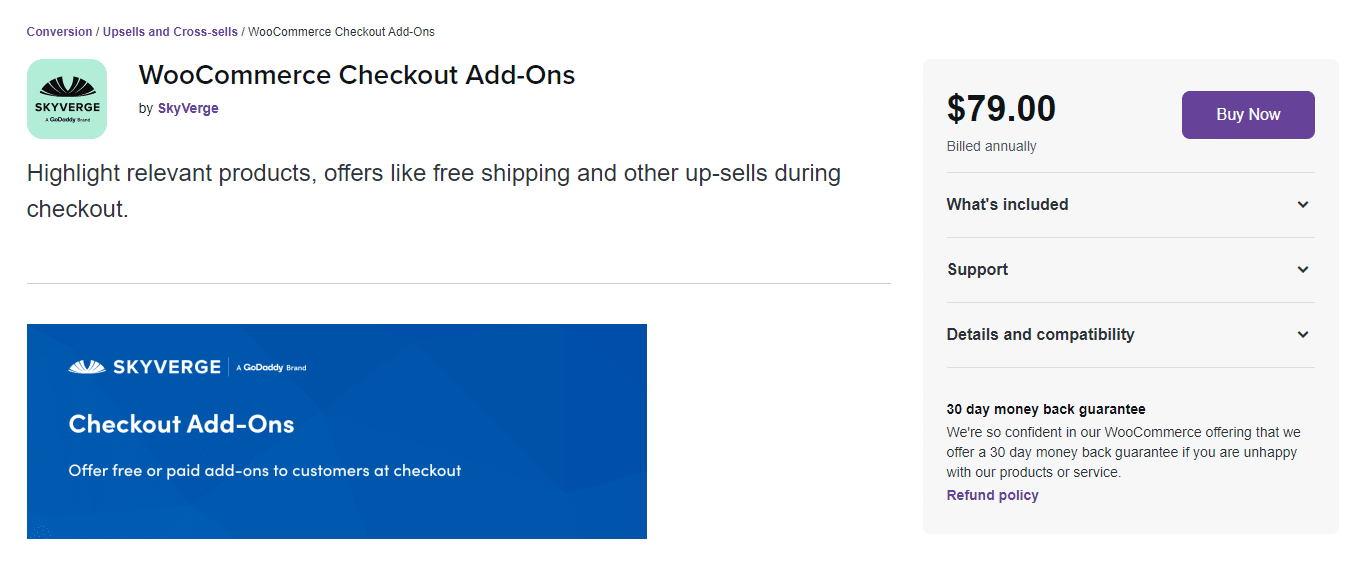
The WooCommerce Checkout Add-ons plugin gives you the ability to add offers, including paid or free items, depending on your business goals. This is perfect for upselling at any stage during checkout!
With this handy WooCommerce upsell at checkout, you can add text fields, radio buttons, file uploads, and other options to your checkout page. Your upsell WordPress plugin suggestions might allow them to save a lot of time and grant you highly targeted advertising, which is always the most effective one.
Features: The WooCommerce Checkout Add-on plugin comes with the following features:
- This plugin gives the flexibility of being able to add charges based on extra costs.
- Customers can also input additional requirements in the customizable field available here to make their purchasing process as specific and tailored for them
- You can change the conditions for your offer based on how many items are in a cart or category.
Pricing:
The plugin costs $79.00 per year, but you get –
- extension updates for 1-year
- 24/7 support!
- There’s a 30-day money-back guarantee.
Pros: The WooCommerce add-ons that you may use to generate upsells include:
- You can even offer after-sales services like shipping insurance in case the client needs it!
- Using percentage-based charges on total cost, take order tips.
- This upsell add-on is perfect for adding on things like gift wrapping and custom messages.
- Highlights products that are relevant.
Cons:
- The upselling features of this plugin are limited.
- The cost of the plugin is likely to be high.
Product Recommendations
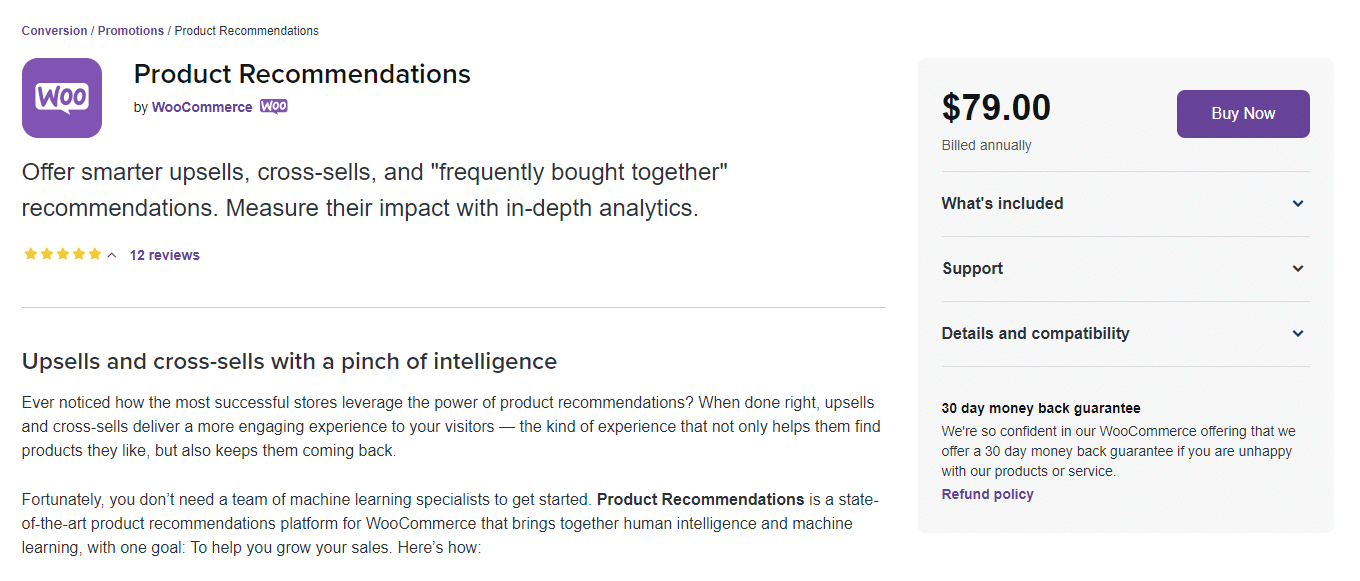
If you’re looking for an edge in the competitive world of e-commerce, Product Recommendations is here to help. The Product Recommendations plugin has been designed to be both human-intelligent and machine learning savvy.
The platform brings together the best of both worlds, with one goal: To provide you with a sales boost! With WooCommerce upsell plugins, you can offer more intelligent upsells and cross-sells, improve the shopping experience across your entire store, and measure the impact of your recommendations with in-depth analytics.
Features:
- Offer more sophisticated upsells, cross-sells, and “frequently bought together” recommendations.
- To assist clients with upselling, this plugin employs both human and artificial intelligence to provide upsell suggestions.
- It also displays these recommendations where customers are most likely to see them.
- It can also monitor the effectiveness of your upsell suggestions using analytics.
Pricing: You’ll spend just $79 for this plugin each year, which includes one-year extension updates and support. A 30-day money-back guarantee is available with the plugin.
Pros: This plugin will give you the following advantages:
Customizing your upsell suggestions based on the data you have gathered, such as customer reviews, is another way to personalize them.
- The aim of product-based personalization is to anticipate the customer’s needs and create a customized offer suitable for them.
- It can identify product connections and offer helpful suggestions.
- The system uses recent data, such as items previously looked at by the client, to recommend the finest product for them.
- The plugin enables you to offer upsells on various pages of your store.
- You can modify your upsell recommendations using different filters.
- Customize your upsell suggestions with proof, such as previous buyer feedback.
Cons:
- Slow down the checkout process
- Waste too much time scrolling through product recommendations
Positive Response: When it comes to customer satisfaction, this plugin has a 4.8 out of 5 stars rating on average with 12 reviews!
Force Sells
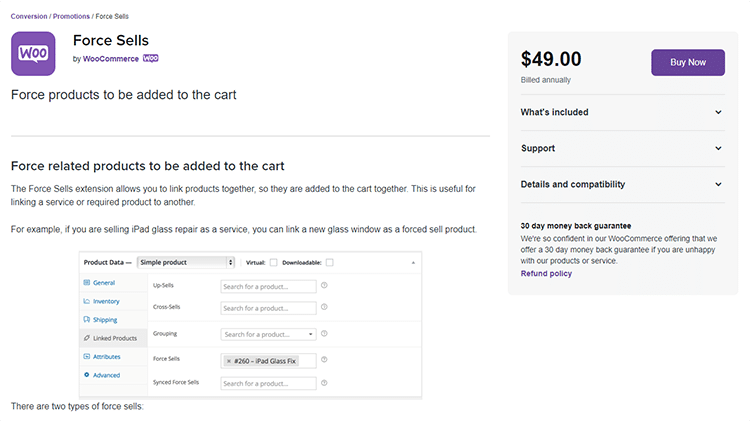
The Force Sells extension is a powerful tool that can help you increase sales and conversions on your website. By allowing you to link products that are added to the cart together, it makes it easy for customers to add items they may need or want to their purchase.
This is especially useful for combining a service or required product with another, as it ensures that customers have everything they need in one place. The Force Sells extension is one of the best WooCommerce upsell plugins.
Features:
This extension allows you to link products that are added to the cart together. So, if a customer adds product A to their cart, they will be automatically linked to product B as well. This is especially useful for combining a service or required product with another.
This plugin has two distinct types of force sells.
- Normal force sells: You can remove products from your cart or change their quantities separately.
- Synced Force Sell – Your main product is linked to the syncs you add, so if anything changes on one side of this pairing (the additional items) then it’ll adjust accordingly in both places!
If you remove the main product, all synced products are also removed.
Other features:
- On a product’s page, you may feature linked goods.
- Compatible with themes that have been developed in keeping with WordPress and WooCommerce standards.
Pricing: The force sell plugin costs $49.00 annually including 1-year extension updates and one year of support, as well a 30-day money-back guarantee!
Pros:
- The installation process is easy and straightforward.
- An easy process to make payments with no security risks.
- Payment information will remain safe and secure at all times.
Cons:
- Third-party products are not covered by support services.
Positive Ratings: It currently holds a rating of 5 stars with 14 reviews.
Chained Products
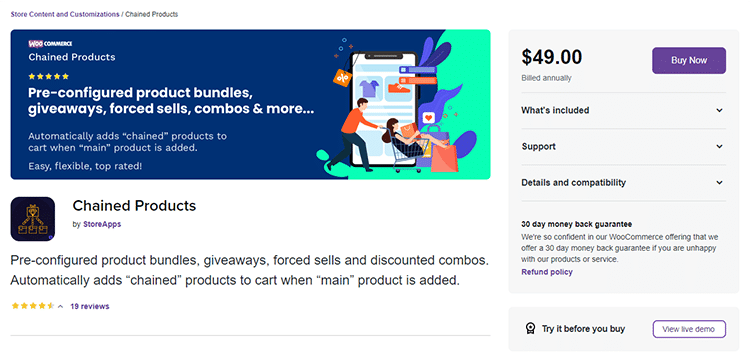
Another great plugin for product bundling, packaging, and groupings is Chained Products. There are many alternative plugins available on the market to do what this one does, but with more features or ease of use, which might be right suited depending upon your store’s needs! Chained Products is one of the best upsell plugins for WooCommerce to boost your conversions.
Features:
- With an existing or new product, store owners “chain” as many items as they wish (with different quantities if required).
- You may group your products, give away free items, run special offers, force sell products, or any other product combinations with this plugin.
- This plugin may be used for both stock clearance and upselling.
- To show a BOGO deal, you may connect the same product if you wish.
Pricing: The chained Products plugin costs just $49.00 per year and comes with 24/7 support and extension updates for one year at no extra charge!
Pros:
- Will have complete control over which goods to bundle together with this plugin.
- There are no restrictions on the number of linked items you can have with your main product.
- Compatible with a wide range of themes, including WooCommerce Subscriptions.
Cons:
- Chained Products are pre-assembled product combinations so your customers will not be able to customize their choice options or alter the bundle’s configuration.
Positive Ratings: The Plugin receives 4.3 out of 5 on its overall rating and 19 reviews.
Tips for Getting Results from WooCommerce Upsell Plugins
Do not stack too many upsell touchpoints. Showing offers on the product page, cart, checkout, and post-purchase simultaneously can frustrate customers and dilute each offer.
- Keep upsells relevant. An unrelated offer is an interruption. A relevant one feels like a helpful suggestion.
- Match placement to intent. Post-purchase offers work when purchase intent has already converted. Cart and checkout offers work when customers are still deciding.
- Price upsells appropriately. A widely cited guideline is to keep upsell offers under 25-50% of the original item’s price. Larger jumps see significantly lower acceptance rates.
- Test one variable at a time. Changing both the offer and its placement simultaneously makes it impossible to know which drove the result.
- Measure average order value, not just clicks. A plugin that generates clicks but does not move AOV is not doing its job.
Comparison Table: WooCommerce Upsell Plugins
| Template Name | Mobile-Friendly? | Price |
| ShopLentor | Yes | $59.00 |
| One-Click | Yes | $69.00 |
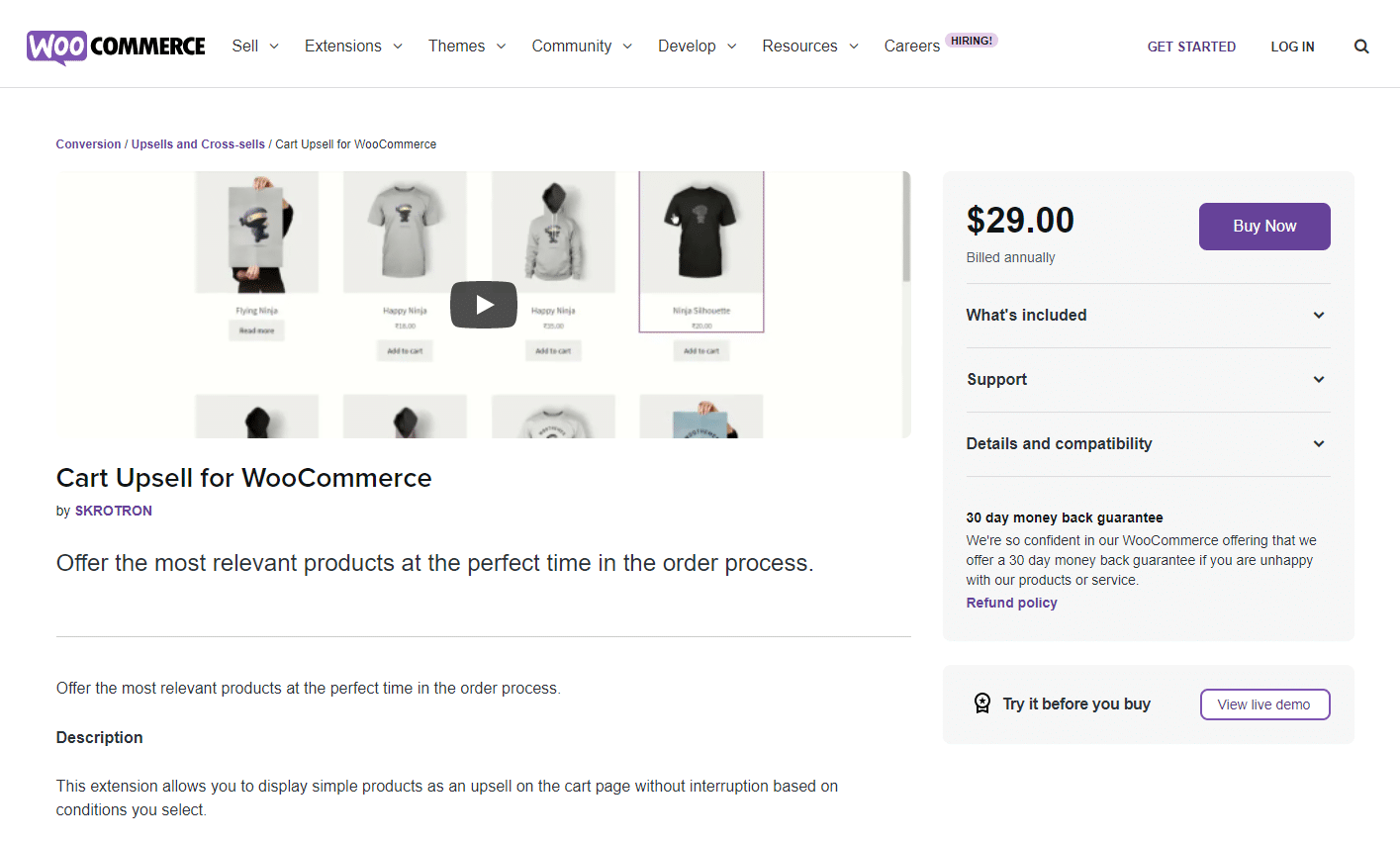
| Cart Upsell | Yes | $29.00 |
| YITH WooCommerce | Yes | $69.00 |
| WooCommerce | Yes | $79.00 |
| Product Recommendations | Yes | $79.00 |
| Force Sells | Yes | $49.00 |
| Chained Products | Yes | $49.00 |
Frequently Asked Questions
What is the difference between upselling and cross-selling in WooCommerce?
Upselling means offering a higher-value or upgraded version of the product a customer is already buying. Cross-selling means suggesting a different but related product that complements it. For example, offering a premium version of a camera lens is an upsell. Offering a camera bag alongside it is a cross-sell. Most upsell plugins in this list support both.
Which WooCommerce upsell plugin is best for post-purchase offers?
One-Click Upsell Funnel is the most focused option for post-purchase offers. It displays the upsell after the order is confirmed, and customers can accept it without re-entering payment details. This single-click acceptance is the key feature that makes post-purchase upselling viable — requiring payment re-entry is the main reason customers decline these offers.
Do WooCommerce upsell plugins work with all themes?
Most plugins in this list are compatible with any WooCommerce-compatible theme. ShopLentor is the main exception — it is specifically built for Elementor and Gutenberg. If you are using a custom or non-standard theme, test any plugin in a staging environment before activating it on your live store.
Can I use more than one upsell plugin at the same time?
Yes, but be careful. Running multiple upsell plugins increases the risk of script conflicts, duplicate recommendations, and a cluttered shopping experience. A cleaner approach is to choose one plugin that covers the upsell placements your store actually needs, rather than stacking multiple tools.
Conclusion
Overall, WooCommerce Upsell Plugins can be a great way to increase sales and boost your average order value. By recommending related or higher-priced products to customers during the checkout process, you can encourage them to spend more money on your site. This can be a great way to boost your profits and grow your business.
However, there are some potential drawbacks to using one that you should be aware of before implementing it on your site. Carefully consider whether an upsell plugin is right for your business and strike a balance between offering relevant upsells and keeping the checkout process moving along smoothly to avoid potential customer frustration.