10 Best WordPress Popup Plugins (Free and Pro) in 2026

Quick Answer: The best WordPress popup plugins in 2026 are ShopLentor Popup Builder (best for WooCommerce stores), OptinMonster (best premium SaaS for advanced targeting), HashBar (best for notification bars + popups with free analytics), and Popup Maker (best free option with unlimited popups). Each offers different strengths depending on budget, tech stack, and conversion goals — the comparison table below breaks down all 10 plugins side by side.
Looking for the best WordPress pop-up plugins to grow your email list, boost sales, and engage visitors? Popups remain one of the most effective on-site conversion tools when they are helpful, well-timed, and easy to dismiss.
This guide compares 10 top-rated free and premium WordPress popup builders updated for 2026. covering features, pricing, pros and cons – so you can pick the right tool for your site without the guesswork.
Every plugin listed below is actively maintained, compatible with modern WordPress (6.8+/6.9+), supports popular page builders like Elementor and Gutenberg, and respects mobile-first design and Core Web Vitals best practices.
Why are WordPress Popup Plugins Important?
Popups give you a direct, focused way to capture attention at key moments, whether that is right before a visitor leaves, after they scroll a section, or when they land on a specific product page.
Used well, they can grow your email list, increase sales, reduce cart abandonment, highlight new content, and collect quick feedback without redesigning your entire site.
The key is UX‑friendly implementation: trigger popups based on behavior (exit intent, scroll, or delay), segment messages by device and page, and always give users a clear close option.
Respect privacy by using consent‑friendly designs for cookie notices and email opt‑ins, following GDPR/CCPA best practices, and avoiding intrusive mobile interstitials that can harm search performance.
HT Mega Elementor Addons
The ultimate Elementor page builder addons to build stunning websites.
10 Best WordPress Popup Plugins (Free and Pro)
With the right popup plugin, you can efficiently engage your audience and turn them into loyal customers. Here are the top 10 popup plugins for WordPress that have gained popularity in recent years.
We have carefully selected these plugins based on their popularity, features, ease of use, and customer satisfaction. Whether you are looking for a free or pro plugin, these options offer a range of capabilities to suit your needs.
Let’s dive in and explore the best popup plugins for WordPress.
Best WordPress Popup Plugins
1. ShopLentor’s Popup Builder Module
Best For: WooCommerce store owners using Elementor or Gutenberg
ShopLentor’s Popup Builder Module is built specifically for WooCommerce stores. It combines drag-and-drop design tools with prebuilt pop-up templates to help you create targeted pop-ups without writing a single line of code. The module fits neatly inside the ShopLentor page builder ecosystem.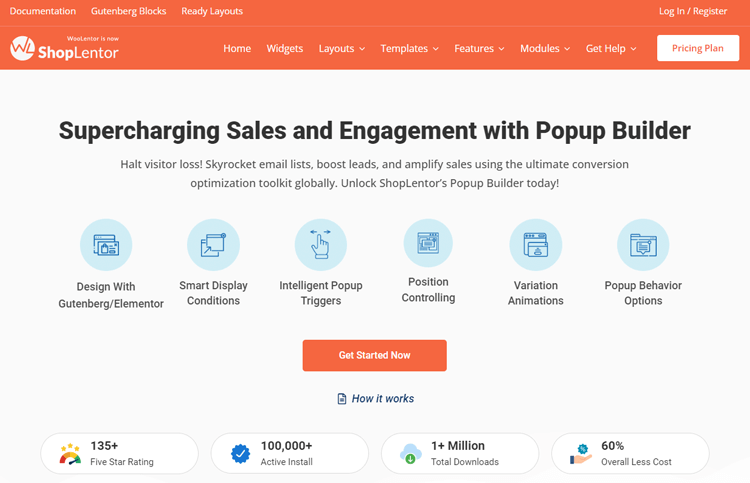
You get full control over triggers, conditions, display locations, and advanced settings. This makes it easy to show the right pop-up to the right customer at the right point in their buying journey. It works seamlessly with both the Elementor and Gutenberg editors.
Active Installs: 100,000+
WordPress.org Rating: 4.8/5
Key Features:
- Prebuilt popup templates for fast setup
- Drag-and-drop popup editor with real-time visual preview
- Unlimited popup creation with no limits
- Custom conditions and targeted display locations
- Compatible triggers including time delay, scroll, and exit
- Adjustable positioning and overlay settings
- Full integration with WooCommerce product pages
Pros and Cons:
Pros:
- Built into a full WooCommerce page builder — great value
- Easy setup with an intuitive dashboard for non-developers
- Strong free version with essential pop-up features
Cons:
- Best results require using ShopLentor’s full ecosystem
- Less suited for non-WooCommerce websites
Pricing: The Popup Builder Module is available in both the free and premium versions of the ShopLentor plugin. The premium version starts at just $59 per half-year.
👉 Learn How to add multi currency in WooCommerce? – A step-by-step Guide
2. OptinMonster
Best For: Marketers and businesses focused on advanced lead generation and conversion optimization
OptinMonster is the most feature-rich popup plugin in the WordPress ecosystem. It runs as a cloud-based platform, which means it loads from OptinMonster’s CDN, not your server. This gives it a clear speed advantage over self-hosted alternatives, especially on sites with borderline Core Web Vitals scores.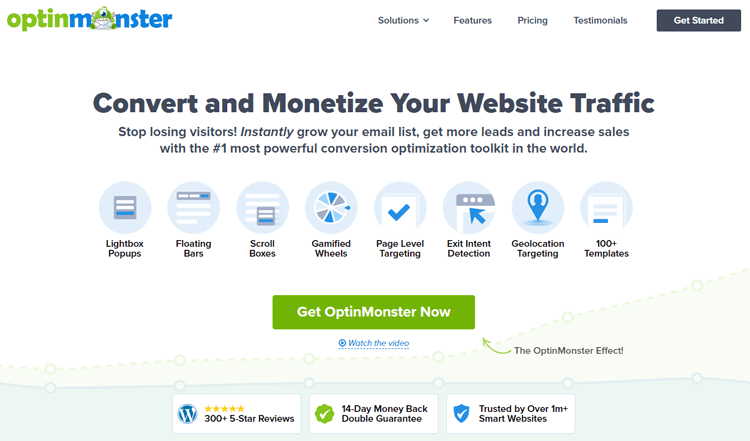
Active Installs: 1,000,000+ WordPress.org Rating: 4.3/5
The plugin’s Exit-Intent Technology detects when a visitor is about to leave and triggers a targeted message at exactly the right moment. It also supports geo-targeting, page-level personalization, scroll-depth triggers, device-specific display rules, and A/B testing, all from a clean drag-and-drop builder.
Key Features:
- Exit-Intent Technology with precise mouse-movement detection
- Drag-and-drop builder with 700+ pre-built templates
- Geo-targeting, page-level targeting, and scroll-depth triggers
- A/B testing for popups, headlines, and offers
- Connects with 60+ email marketing and CRM platforms
- Mobile-responsive popup designs with separate mobile display rules
- Built-in analytics and conversion rate tracking
Pros and Cons
Pros:
- Cloud-based architecture means zero impact on your server load
- Most advanced targeting and personalization features available
- Works for blogs, eCommerce, agencies, and SaaS products
Cons:
- No free plan with real popup-building features
- Monthly pricing adds up quickly for small site owners
Pricing:
- Basic: $7/month (billed annually) – 2,500 page views
- Plus: $19/month – A/B testing included
- Pro: $29/month – most popular for marketers
- Growth: $49/month – 100,000 pageviews, client logins
👉 Check The Best WordPress Timeline Plugins: Exploring the Chronological Canvas
3. Bloom (by Elegant Themes)
Best For: Existing Elegant Themes or Divi users who want built-in email opt-in popups
Bloom is the email opt-in and popup plugin from Elegant Themes, the makers of the Divi page builder. It focuses on converting website visitors into email subscribers using customizable opt-in forms and pop-up designs. The plugin offers six different display types, including popups, fly-ins, and inline forms – each with deep design customization.
Active Installs: Bundled with Elegant Themes membership WordPress.org Rating: Not listed separately (Elegant Themes membership plugin)
Bloom connects with 19 major email marketing services and offers real-time analytics for tracking conversion rates. Targeting options include page-specific display, time-delay triggers, and post-engagement triggers. However, performance testing shows it loads slower than cloud-based alternatives like OptinMonster.
Key Features:
- Six opt-in display types, including popups, fly-ins, and widgets
- 19+ email marketing service integrations
- Real-time conversion analytics per form
- Time delay, page scroll, and post-interaction triggers
- Extensive template library with full design customization
- A/B testing for opt-in forms
Pros and Cons
Pros:
- Excellent design customization for brand-matched popups
- Great value if you already subscribe to Elegant Themes
- 19 email integrations cover most major platforms
Cons:
- Slower performance compared to cloud-based popup tools
- Only available through paid Elegant Themes membership — no standalone free version
- Limited targeting options compared to OptinMonster
Pricing: Two pricing packages are available:
- Yearly access: $89/year (includes all Elegant Themes products)
- Lifetime access: $249 one-time payment
👉 View HashBar Plugin is Now Compatible with WPML Multilingual Plugin
4. Icegram Engage
Best For: Budget-conscious site owners wanting non-intrusive popups and email marketing
Icegram Engage is a lightweight popup and messaging tool designed to convert visitors without interrupting them. It supports popups, banners, toast notifications, ribbons, and exit-trigger messages, giving you multiple ways to reach your audience. The plugin focuses on showing the right message to the right visitor at the right time.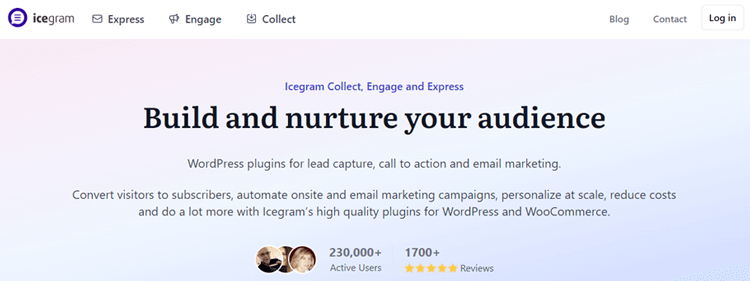
Active Installs: 20,000+ WordPress.org Rating: 4.7/5
Icegram includes A/B testing, behavior triggers, and advanced targeting capabilities in its Pro and Max plans. The free Starter plan gives beginners a solid entry point. It is a reliable choice for bloggers, small businesses, and content sites that want conversion tools without high monthly fees.
Key Features:
- Non-intrusive popup types including ribbons, toasts, and banners
- Behavior triggers including exit intent and page scroll
- A/B split testing and campaign analytics
- Custom targeting conditions based on page and user type
- User-friendly design editor with theme support
- Exit/bounce catch to retain abandoning visitors
- Free Starter plan for basic popup needs
Pros and Cons
Pros:
- Generous free plan for small sites and bloggers
- Multiple popup styles beyond just lightbox popups
- Straightforward pricing with no hidden fees
Cons:
- Smaller user base than top competitors
- Advanced features locked to higher-priced Max plan
Pricing: Icegram Engage offers 3 packages:
- Starter: Free forever
- Pro: $129/year
- Max: $229/year
👉 Learn How to Set Up Multi Currency in WooCommerce: A Step-by-Step Guide
5. HubSpot WordPress Plugin
Best For: Businesses that need popup + CRM + email marketing in one free tool
The HubSpot WordPress Plugin connects your pop-up forms directly to HubSpot’s free CRM. This means every lead captured through a popup is automatically stored, tracked, and ready for follow-up – without any manual data export. It removes the gap between pop-up conversion and CRM management.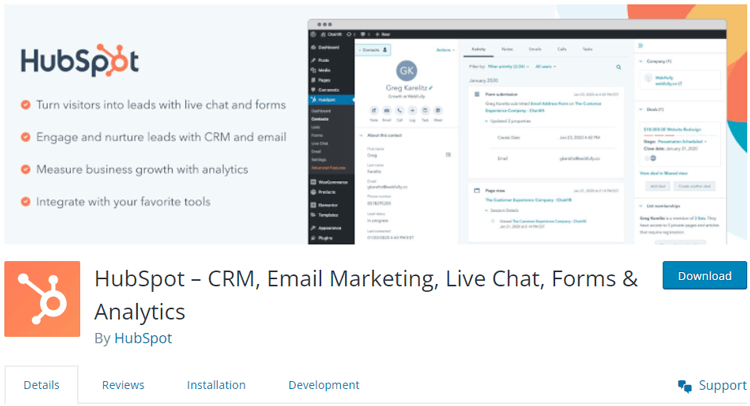
Active Installs: 200,000+ WordPress.org Rating: 4.3/5
HubSpot supports modal popups, slide-ins, drop-down banners, and embedded forms. You can control targeting by page, device type, or visitor behavior. Triggers include time on page, scroll depth, and exit intent. After a visitor submits a form, HubSpot automatically sends a thank-you message or a follow-up email.
Pros and Cons
Pros:
- Free CRM with unlimited contacts — exceptional value
- Best option for teams already using HubSpot’s marketing tools
- No coding required for setup or customization
Cons:
- Advanced marketing automation requires expensive paid tiers
- Enterprise plan costs $3,600/month, not suitable for small budgets
Key Features:
- Free CRM integration with every popup form submission
- Drag-and-drop popup builder with multiple popup types
- Page-level targeting and device-based display rules
- Exit intent, scroll depth, and time-on-page triggers
- Built-in email marketing and automation workflows
- Live chat and chatbot tools bundled in the same plugin
- Analytics dashboard for conversion tracking
Pricing: HubSpot WordPress Plugin offers 2 pricing plans:
- Free version available (with CRM access)
- Starter: $9/month or $216/year
- Professional: $800/month or $9,600/year
- Enterprise: $3,600/month or $43,200/year
👉 Read Unlock the Power of Google Analytics Ecommerce Tracking for Your Business
6. MailOptin
Best For: Bloggers and content creators who want popup + email newsletter tools in one plugin
MailOptin is a WordPress plugin that handles both popup creation and email newsletter delivery in one place. You can build lead capture popups, send automated email campaigns, and track subscriber activity, all from your WordPress dashboard. The drag-and-drop builder makes campaign setup fast and simple.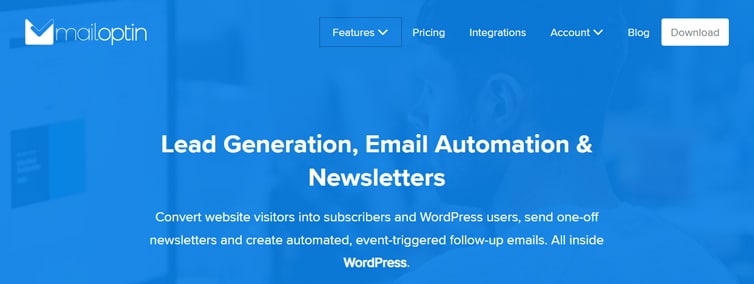
Active Installs: 60+ WordPress.org Rating: 4.5/5
This plugin also converts new blog posts into email newsletters automatically. This saves time for bloggers who want their audience to stay updated without manually creating newsletter content. MailOptin integrates with Mailchimp, ConvertKit, AWeber, and several other email platforms.
Key Features:
- Lightbox popups, slide-ins, sidebar forms, and notification bars
- Automatic blog post to email newsletter conversion
- Spam protection is built into all opt-in forms
- After-conversion actions, including custom redirects
- Call-to-action overlays with A/B testing Integration with major email marketing platforms
- Before and after post-opt-in placements
Pros and Cons
Pros:
- Combines popup builder with email newsletter functionality
- Automatic post-to-newsletter saves time for bloggers
- Good free version for basic lead capture needs
Cons:
- Smaller install base suggests a smaller support community
- Advanced automation requires the premium plan
Pricing:
- Free plan available on WordPress.org
- Premium starts at $99/year for 1 site
👉 Check The Best WordPress Plugins for Educational Websites
7. Popup Maker
Best For: Free users, developers, and agencies managing multiple WordPress sites
Popup Maker is the most popular free WordPress popup plugin available today. It powers over 780,000 websites and has earned a 4.9-star rating from more than 4,400 users on WordPress.org. The plugin gives you unlimited popups with solid targeting in the free version — something most other tools lock behind a paywall.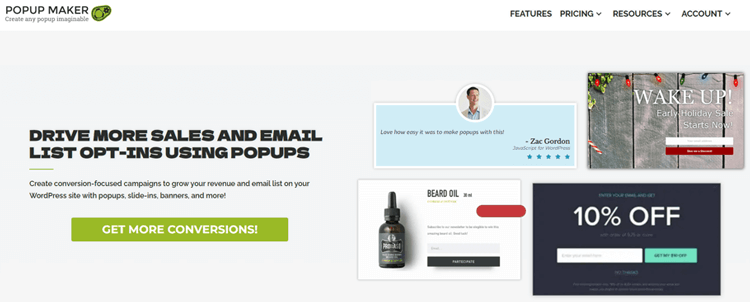
Active Installs: 700,000+ WordPress.org Rating: 4.9/5
You can create opt-in popups, modal forms, slide-ins, and EU cookie notices with ease. It supports time-delay triggers, click-based triggers, scroll depth, and basic page-level targeting. It also integrates with major email tools like Mailchimp, AWeber, and WPForms.
Key Features:
- Unlimited popup creation in the free version
- Exit intent, click triggers, and scroll-based triggers
- WooCommerce and EDD cart abandonment tracking (Pro)
- FluentCRM automation and 12+ form builder integrations
- 50+ targeting conditions including device, user role, and behavior
- Real-time dashboard for views, conversions, and revenue tracking
- Compatible with Gravity Forms, Ninja Forms, and WPForms
Pros and Cons
Pros:
- Generous free version with no artificial feature limits
- 4.9-star rating shows exceptional user satisfaction
- Transparent, community-friendly development with active security disclosure
Cons:
- Advanced targeting requires premium add-ons
- The native builder interface feels less modern than cloud-based competitors
Pricing: They offer both free and premium plans
- Free version available on WordPress.org
- Start (1 site): $87/year
- Grow (3 sites): $147/year
- Optimize (5 sites): $247/year
👉 Learn What is a Currency Switcher in WooCommerce? : Allow Multiple Currencies for Your Store
8. Ninja Popups
Best For: Users who want a large template library and design flexibility for popup campaigns
Ninja Popups is a feature-rich popup plugin designed around visual flexibility and template variety. It offers over 40 pre-designed popup templates and a drag-and-drop editor that lets you customize every design detail. The plugin integrates with 50+ email marketing services, making it a versatile option for teams with specific platform preferences.
Active Installs: 1,000+ WordPress.org Rating: 3.8/5
With trigger options like click or page load via shortcode, it offers flexibility in popup activation. The Pro version extends functionality with Advanced Animations, Exit Intent, and the option to hide popups based on device type.
Key Features:
Pros and Cons
Pros:
- Massive template library reduces design time significantly
- 50+ email integrations cover niche and major platforms
- GeoIP targeting is useful for international businesses
Cons:
- Advanced animations and device hiding require the Pro plan
- Lacks conditional logic and dynamic content features
Pricing: The plugin offers both free and premium plans.
- Free version available
- Premium starts at $99/year for up to 3 sites
👉 Check Best WordPress Mega Menu Plugins for Elementor 2026
9. PromoBar
Best For: Store owners and marketers who want customizable banners with a built-in countdown timer
PromoBar is a focused WordPress banner and notification plugin designed to display eye-catching promotional messages on your website. It lets you add customizable banners to specific pages, set banner positions, and align content for different screen resolutions. The built-in countdown timer makes it especially useful for promoting flash sales, limited-time offers, and upcoming product launches.
The plugin also supports custom CSS and JavaScript for advanced users who want extra design control. You can exclude specific pages or post types from showing the banner, keeping your site clean and targeted. PromoBar is lightweight, easy to configure, and offers one of the most affordable pricing plans on this list.
Active Installs: 60+ WordPress.org Rating: 4.2/5
Key Features:
- Display customizable banners on all pages or specific pages via shortcode
- Select banner position — top or bottom of the page
- Choose banner alignment for different screen resolutions
- Built-in countdown timer to create urgency for promotions
- Exclude specific pages or post types from banner display
- Custom CSS/JS section for advanced design customization
- Background image position selector for visual variety
Pros and Cons
Pros:
- Most affordable pricing on this list — starting at just $9/year
- Built-in countdown timer removes the need for a separate urgency plugin
- Lightweight with minimal performance impact on page speed
Cons:
- Smaller active install base than established competitors
- Primarily focused on banner-style notifications — fewer popup types overall
Pricing: PromoBar plugin offers premium packages starting at $9/year per domain and a lifetime option at $90 per domain. There is also a free version available.
👉 Check How to Edit Header in WordPress: A Step-by-Step Guide
10. WP Popups – WordPress Popup Builder
Best For: Non-technical users who need a simple, lightweight popup plugin with clean targeting
WP Popups is a lightweight popup builder that keeps things simple and functional. The intuitive template builder lets you create and customize popups with just a few clicks — no coding required. It is well-suited for displaying cookie notices, newsletter sign-ups, call-to-action messages, and Mailchimp list integrations.
The plugin includes smart filtering options that let you control exactly who sees each popup. You can filter by user role, logged-in status, referrer URL, commenting history, and even whether the visitor came from a search engine. These targeting filters make WP Popups more precise than its simple interface suggests.
Active Installs: 20,000+ WordPress.org Rating: 4.4/5
Key Features:
- Display popups by specific page, post, or template
- Filter visitors from search engines and bots
- Target by referrer URL, user role, and login status
- Show popups to mobile, desktop, or tablet users separately
- Mailchimp and major email list integrations
- GDPR-friendly EU cookie notice support Shortcode-based popup triggering
Pros and Cons
Pros:
- Very lightweight — minimal impact on page speed
- Smart targeting filters give precise control over display
- Affordable pricing for individuals and small teams
Cons:
- Smaller template library than design-focused competitors
- No built-in A/B testing in core plugin
Pricing: The plugin provides both free and premium options. The premium BASIC plan starts at $35.00 annually.
Free vs Pro WordPress Popup Plugins — Which Should You Choose?
Free popup plugins like Popup Maker and WP Popups are genuinely useful for small websites and bloggers. They give you unlimited popups, basic targeting, and email integrations without spending a single dollar. For sites with modest traffic and simple lead capture goals, a free plugin is often all you need.
Pro plugins become worth the investment when your goals grow beyond basic email collection. Advanced features like exit intent, geo-targeting, A/B testing, and CRM integration can significantly increase conversion rates. If your site generates revenue and every lead matters, a pro plan quickly pays for itself.
The best approach is to start with a free version and upgrade only when you hit real limits. Test your popup strategy first — then invest in advanced tools to scale what already works. Never pay for features you are not ready to use yet.
How to Choose the Best Popup Plugin for Your WordPress Site
Matching the right plugin to your workflow, tech stack, and growth goals is the most important step. Use these criteria to evaluate:
- Support, updates, and security: Check last-updated dates, changelogs, and disclosed vulnerabilities. Plugins not updated in 12+ months carry risk.
- Ease of use and builder quality: Do you prefer a drag-and-drop SaaS dashboard (OptinMonster), a visual page builder (Elementor/ShopLentor), or a conditions-based framework (Popup Maker)?
- Targeting and triggers: Exit intent, scroll depth, time delay, page-level rules, and device targeting are essential for running campaigns across different audiences.
- Email and CRM integration: Check compatibility with your ESP (Mailchimp, ConvertKit, etc.) and CRM (HubSpot, Salesforce).
- Performance and Core Web Vitals: Favor plugins with async loading, optimized scripts, and caching compatibility.
- Mobile responsiveness: Popups must be easy to dismiss on mobile and should not cover the entire screen on initial page load.
- Compliance and consent: Look for GDPR/CCPA-friendly features: cookie consent templates, consent checkboxes, age verification, and privacy policy links.
- Pricing and scalability: Compare free vs. premium features, impression/view limits, number of sites, and one-time vs. subscription pricing.
👉 Check Meta Pixel for WordPress & WooCommerce: Complete Setup & Plugin Guide (2026)
ShopLentor – WooCommerce Builder for Elementor & Gutenberg
A versatile page builder to build modern and excellent online stores with more than 100k Active Installations.
What Are the Best Practices for High-Converting, SEO-Friendly Popups?
High-converting popups follow a clear set of principles that balance persuasion with user experience and search compliance. Implement these proven practices:
- Ensure accessibility: Provide keyboard navigation, sufficient color contrast, ARIA labels, and clearly labeled close buttons for screen-reader users.
- Match the offer to the page: Serve content upgrades on blog posts, discount codes on product pages, and welcome messages on landing pages. Generic “join our newsletter” prompts convert poorly.
- Use benefit-driven copy: Lead with outcomes (“Get 10% off your first order” or “Download the free checklist”). Keep body text short with one clear CTA button.
- Minimize form friction: Ask for email only (add name later). Include social proof, star ratings, or customer counts to build trust.
- Choose smart timing: Use exit intent for aggressive offers, scroll-based triggers for content upgrades, and 5–10 second delays so visitors engage with the page first.
- Control frequency: Limit popups per visitor using cookie/session rules. Seeing the same popup on every page reload creates fatigue and increases bounce rates.
- Respect mobile users: Use smaller slide-ins or notification bars on smartphones. Always make the close button visible and easily tappable.

Frequently Asked Questions
Are popups bad for SEO?
Popups are not inherently bad for SEO. Google’s concern is with “intrusive interstitials” that block content on mobile immediately upon page load. If your popups are triggered by user behavior (exit intent, scroll, or delay), are easy to dismiss, and do not cover the main content on mobile, they will not negatively impact your rankings.
How do I avoid annoying visitors with popups?
Limit popups to one per session, avoid showing them immediately on page load, and use behavior-based triggers (scroll, exit intent, or timed delay). Always provide a clearly visible close button and consider using notification bars for less urgent messages.
What is the best free WordPress popup plugin?
It depends on your needs. Popup Maker offers the most flexible free tier with unlimited popups and impressions. HashBar provides free notification bars plus basic popup campaigns with a built-in analytics dashboard. MailOptin Lite is excellent if you also want newsletter sending capabilities. Icegram Engage gives you 12 message types for free without forced branding.
Which popup plugin is best for WooCommerce?
ShopLentor Popup Builder stands out for its deep WooCommerce integration with product/cart/checkout-level targeting. HashBar works well for promo bars and coupon-driven campaigns with WooCommerce auto-apply coupons. OptinMonster Pro and Popup Maker Pro+ both offer WooCommerce-specific targeting and revenue attribution.
How do I create exit-intent popups in WordPress?
Most plugins in this guide support exit-intent triggers. After installing your chosen plugin, create a new popup campaign, select “exit intent” as the trigger type, configure which pages and devices should display it, and set frequency/cookie rules to avoid showing it repeatedly. Exit intent is free in ShopLentor, HashBar, OptinMonster (Basic+), and Icegram Engage (free on desktop); it requires paid plans in Popup Maker, MailOptin, and WP Popups.
Can I use popups without hurting Core Web Vitals?
Yes. Choose plugins that load scripts asynchronously, avoid render-blocking JavaScript, and use lightweight CSS. Prefer slide-ins or notification bars over heavy fullscreen popups on mobile. Lazy-load images inside popup content and test with Google PageSpeed Insights after implementation.
How do popup plugins affect page load speed?
Well-optimized popup plugins use lazy loading and asynchronous script loading to minimize page speed impact. Plugins like Icegram Engage (built-in lazy load option), OptinMonster (non-blocking SaaS script), and Popup Maker (loads JS/CSS only when needed) are designed to keep your site fast. Always test your page speed before and after installing any popup plugin.
Final Word
After reviewing all 11 plugins, our top recommendation for most websites is Popup Maker. It is free, powerful, and trusted by over 780,000 WordPress sites worldwide. The 4.9-star rating reflects years of consistent quality and excellent user support.
For marketers and businesses that need advanced targeting and maximum conversion power, OptinMonster is the best investment. Its cloud-based architecture, Exit-Intent® Technology, and 60+ integrations make it the most complete pop-up solution available. WooCommerce store owners should start with ShopLentor Popup Builder, it fits naturally into the WooCommerce ecosystem and delivers great value at $99/year.
Ready to grow your email list and boost conversions? Start with Popup Maker’s free version today — and upgrade to OptinMonster when you are ready to scale.