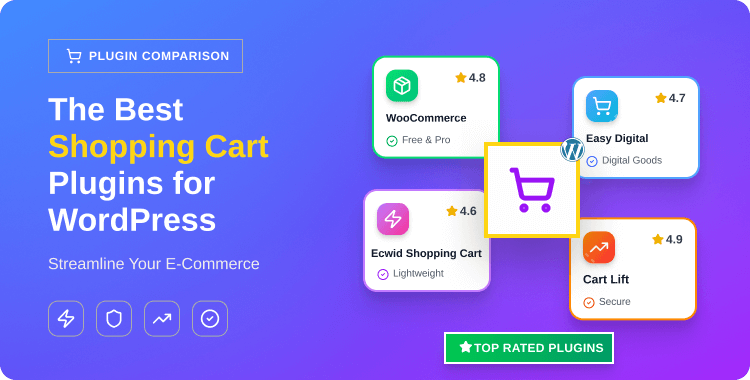
The Best Shopping Cart Plugins for WordPress: Streamline Your E-Commerce

In the bustling world of eCommerce, the shopping cart is the virtual cart that carries your customers’ carefully selected products. The digital vessel holds their choices until they’re ready to check out. For WordPress website owners looking to offer seamless shopping experiences, choosing the right shopping cart plugins for WordPress is paramount.
Adding a shopping cart to your WordPress site is more than a feature; it’s a necessity. Whether you’re selling digital goods or physical products, the right WordPress shopping cart plugin can transform your website. It turns your site into a streamlined online store that boosts sales and delivers seamless checkout experiences.
In this comprehensive guide, we’ll explore the top shopping cart plugins tailored for WordPress. Whether you’re running a small online store or managing a bustling eCommerce empire, these plugins will help you streamline the buying process. Let’s dive into the world of efficient, feature-rich shopping cart plugins for WordPress.
- Key Takeaways:
- What is a Shopping Cart Plugin?
- How Shopping Cart Plugins Elevate the User Experience
- How to Choose the Right Shopping Cart Plugin
- Free vs. Premium Shopping Cart Plugins: Which is Right for You?
- The Best Shopping Cart Plugins in WordPress
- WooCommerce
- ShopLentor- WooCommerce Page Builder Plugin
- All in One Woo Cart By ThemeHunk
- Mini Ajax Cart for WooCommerce
- WooCommerce Fast Cart
- Cart Lift
- Easy Digital Downloads (EDD): For Digital Product Sales
- WooCommerce Cart Share and Save
- WooCommerce One Page Checkout
- Ecwid Shopping Cart
- Best Practices for Cart Optimization
- Frequently Asked Questions
- Final Thoughts
Key Takeaways:
- Learn the fundamentals of shopping cart plugin functionality and core features
- Discover how shopping cart plugins simplify checkout processes and boost user experience
- Explore different features that make shopping cart plugins essential for WordPress sites
- Master techniques for adding shopping cart functionality to WordPress with advanced capabilities
- Learn proven strategies for configuring your shopping cart to reduce abandonment rates
What is a Shopping Cart Plugin?
A shopping cart plugin is a tool that you install on your website to enable eCommerce functionality. It’s especially popular on platforms like WordPress. The plugin allows customers to perform essential shopping tasks seamlessly.
Customers can add products to their cart, view and manage cart items, and proceed to checkout. They can also make secure payments, calculate shipping and taxes, and track their orders.
In simple terms, a shopping cart plugin transforms a regular website into a fully functional online store. It can handle physical products, digital goods, or even services.
How Shopping Cart Plugins Elevate the User Experience
If you’re building your online store using WordPress, selecting the best WordPress shopping cart plugin is crucial. It provides a seamless shopping experience for your customers.
It serves as the backbone of your online business. The plugin handles everything from product catalog management to payment gateways and shipping options. A great shopping cart solution offers a seamless, intuitive checkout experience. This makes it easy for customers to complete purchases without any hiccups.
A reliable shopping cart plugin also integrates with various payment gateways. This makes it easy for customers to pay using their preferred method. There are numerous WordPress shopping cart plugins available in the market today. Some are premium solutions, while others offer free functionality for WordPress sites.
Whether you’re selling physical goods or digital products, the right shopping cart makes a difference. Using a well-optimized shopping cart plugin for WordPress ensures faster checkouts and better performance. Both factors are crucial for reducing cart abandonment rates significantly.
You can enhance your eCommerce site by adding a shopping cart to WordPress using feature-rich plugins. Today, many users look for the best shopping cart plugins that are easy to install. They also want plugins that come with robust customer support and documentation.
With the right setup, your WordPress shopping cart can boost conversions and help your business grow.
Recommended Blog for You:
👉 How to Display Custom Fields on the WooCommerce Product Page
👉 13 Essential WooCommerce Plugins for Your Website
👉 How to add a Shopify Style Checkout in WooCommerce Store
How to Choose the Right Shopping Cart Plugin
Selecting the perfect shopping cart plugin depends on several key factors. First, consider the type of products you plan to sell. Digital products require different features than physical merchandise.
Evaluate your budget for both initial setup and ongoing maintenance costs.
Some plugins offer free versions with limited features, while others require monthly subscriptions. Consider the payment gateways you want to support for your customers.
Think about your technical expertise and available development resources. Some plugins require coding knowledge for advanced customization. Others offer drag-and-drop interfaces that anyone can use effectively.
Check the plugin’s compatibility with your current WordPress theme and other installed plugins. This prevents conflicts that could break your website’s functionality.
Free vs. Premium Shopping Cart Plugins: Which is Right for You?
Free shopping cart plugins are perfect for small businesses just starting out. They offer basic functionality without upfront costs. However, they often have limitations in features, customization options, and customer support.
Premium plugins provide advanced features, priority support, and regular updates. They’re ideal for growing businesses that need robust eCommerce functionality. The investment often pays off through increased sales and a better customer experience.
Consider starting with a free plugin and upgrading as your business grows. This approach lets you test functionality before committing to premium features.
The Best Shopping Cart Plugins in WordPress
As a WordPress website owner, it’s important to choose a shopping cart plugin carefully. Look for one that offers comprehensive features to ensure a smooth shopping experience.
Let’s explore some of the leading shopping cart plugins for WordPress. Each of these plugins brings unique features to the table. They help you create a tailored e-commerce experience for your customers.
WooCommerce
WooCommerce is the most popular WordPress eCommerce plugin worldwide. According to Store Leads data from 2025, WooCommerce currently powers over 4.6 million active online stores globally. The platform holds approximately 24% market share among eCommerce platforms as of 2025. The plugin is free to download and offers a range of extensive features for online store management.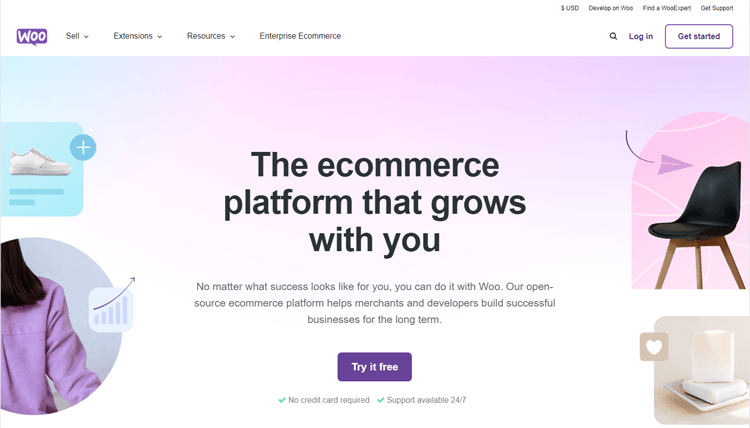
One of the main features of WooCommerce is its flexibility. It can be easily customized to suit your specific needs, whether you’re selling physical products, digital downloads, or services. It also offers a variety of payment options, such as PayPal, credit card payments, and even cash on delivery.
Many website owners consider it the best WordPress shopping cart plugin available. It’s especially popular among those wanting a free shopping cart for WordPress with advanced capabilities. Whether you’re selling digital goods or physical inventory, WooCommerce works as comprehensive shopping cart software.
One of WooCommerce’s main features is its exceptional flexibility. It can be easily customized to suit your specific business needs. You can sell physical products, digital downloads, or services with equal ease.
The plugin offers a variety of payment options for customer convenience. These include PayPal, credit card payments, and even cash on delivery options.
WooCommerce also provides a user-friendly interface for managing your store efficiently. You can easily add and edit products, set up shipping options, and manage orders. All management tasks happen within the familiar WordPress dashboard. WooCommerce offers a wide selection of extensions and add-ons for enhanced functionality.
These include options for sales reports, customer reviews, and email marketing integrations.
Important Features
- Extensive Product Management: Allows easy addition, editing, and categorization of products, including physical goods, digital downloads, subscriptions, and more.
- Flexible Payment Options: Provides various payment gateway integrations, enabling secure transactions via credit/debit cards, PayPal, Stripe, and other popular methods.
- Customizable Storefront: Offers a range of themes and customization options to create a visually appealing and personalized online store aligned with branding requirements.
- Robust Reporting and Analytics: Generates detailed reports on sales, customer behavior, and performance metrics, providing valuable insights for informed decision-making.
- Inventory and Order Management: Streamlines inventory tracking, notifies low stock levels, and simplifies order fulfillment and processing.
- Shipping and Tax Configuration: Facilitates setting up shipping zones, rates, and tax calculations to ensure accurate pricing and smooth shipping processes.
- Extensive Extension Ecosystem: Access to a vast array of extensions and plugins that expand functionality, offering solutions for subscriptions, memberships, bookings, and more.
- Mobile Responsiveness: Ensures the storefront is mobile-friendly, catering to the growing trend of online shopping through smartphones and tablets.
👉 Learn How do I add multi currency in WooCommerce? – A step-by-step Guide
ShopLentor- WooCommerce Page Builder Plugin
ShopLentor is a powerful WooCommerce page builder plugin that simplifies website design. It offers extensive features with over 125+ Elementor widgets and 85+ Gutenberg blocks. The plugin also includes 34+ advanced modules, eliminating the need for multiple plugins.
ShopLentor seamlessly integrates with WooCommerce, offering various shopping cart modules. These modules enhance user experience and streamline eCommerce operations effectively. The Ajax Add to Cart module allows customers to add items without page refreshes.
The Single Mini Cart module provides a compact overview of selected items. Customers can review their choices without leaving the current page. The Sticky Add to Cart feature keeps the button visible at all times.
ShopLentor offers valuable features, including Wishlist for WooCommerce, and Product Compare functionality. It also provides Quick View, Shopify-style checkout, and Sales Notification features. Additional features include Product Filter, Partial Payment, and Multi-Step Checkout options.
These features elevate the overall shopping experience and potentially boost conversion rates. ShopLentor supports multiple payment options, including PayPal and credit cards. This gives customers flexibility in choosing their preferred payment method.
ShopLentor is an exceptional addition to any WooCommerce-powered online store or WordPress eCommerce site. Its comprehensive features and customization options make it an essential tool for creating a seamless and user-friendly shopping experience.
Important Features
- Customizable Design: Tailor the appearance and layout of the shopping cart modules according to your preferences, ensuring a personalized shopping experience.
- Compatibility with WooCommerce Themes: Seamlessly integrates with popular WooCommerce themes and plugins, ensuring a harmonious and unified store design.
- User-Friendly Interface: Enjoy an intuitive drag-and-drop interface for effortless customization of product pages without requiring technical expertise.
- Selective Module Activation: Enable or disable individual modules based on specific products or categories, providing a tailored shopping experience.
- Multiple Payment Gateway Support: Accept payments through various gateways like PayPal, Stripe, Amazon Pay, among others, enhancing customer convenience.
- Wishlist for WooCommerce: Allow customers to curate a list of desired items, promoting engagement and revisits.
- Product Compare: Facilitate easy product comparison, aiding customers in making informed purchase decisions.
👉Read How to Boost Your Sales with the Best WooCommerce Facebook Pixel Plugins
All in One Woo Cart By ThemeHunk
All in One Woo Cart is the perfect choice to display a Cart on your website and improve your potential customer’s buying experience with its unique features.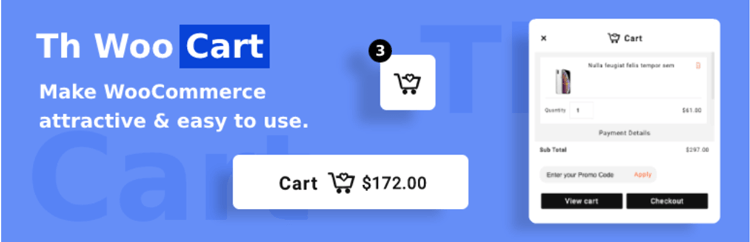
You can showcase a sticky “Add to Cart” button on single product pages. This facilitates quicker product additions for your customers. This plugin features a sidebar cart popup with full cart page functionality. It provides extensive customization options with a wealth of features and functionalities.
Features include Sidebar Cart, Menu Cart, Sticky “Add To Cart” button, and direct Checkout. The Sticky “Add to Cart” feature streamlines product selection on single pages. Customers can quickly add items without scrolling to find the button. This plugin is available in both Pro and free versions.
Important Features
- Cart Styling Options: The Plugin provides many options to Style your cart according to your needs.
- Fly to cart animation: It offers smooth flying animation, it will give your customers an amazing user experience.
- Float Cart Layout: It allows the cart to float on the screen and increase user visibility.
- Fixed Cart Layout: It enables you to display the cart (Left and Right) on the screen.
Mini Ajax Cart for WooCommerce
Mini Ajax Cart is a great plugin for enhancing WooCommerce store user credibility. It offers different position options to place your cart anywhere on the store. The plugin comes with various layouts and tons of flexible configuration features.
This cart conveniently lets customers make alterations to their basket items. Users can add, edit, remove, or check out items directly from any page. You can enable a coupon code section for currently running deals.
Designing your cart to make it presentable is incredibly easy. The Mini Ajax Cart plugin allows alterations to cart design, pop-up animation, and colors.
You can also modify fonts, typography, and much more per your preferences. The plugin offers beautiful animation effects for cart entrance, exit, and hover states.
Main Features:
- Selectively Display the Cart: This plugin offers you the liberty to show/hide a cart in various posts/pages.
- Complete Customization Settings: Allowing users to make changes to the cart basket with various cart customization options
- Create Unlimited Shopping Carts: There’s no limitation in the multiple creation of the cart baskets. There is even an option to Import/ Export once you create them.
- Animation Effects to Make Cart Engaging: There are various cart animations and effects to choose from to make the cart more engaging
WooCommerce Fast Cart
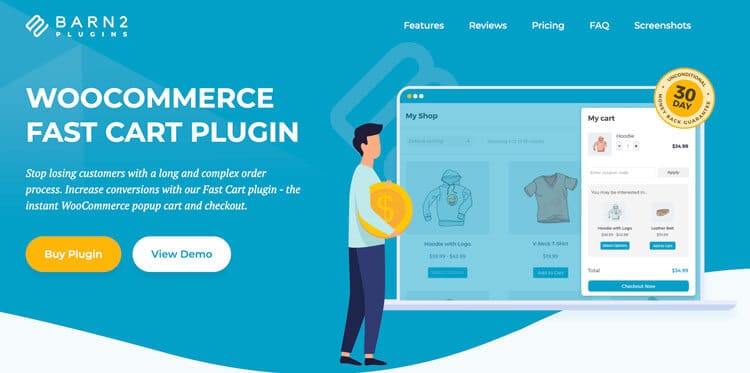
WooCommerce Fast Cart by Barn2 is a premium WordPress plugin that revolutionizes the eCommerce checkout experience. It reduces cart abandonment and increases conversion rates through an innovative pop-up cart and checkout system. Grow your sales by adding a flexible mini cart to WooCommerce. Customers can quickly make changes, add products, and check out – directly in the pop-up cart.
This powerful plugin addresses one of the most significant challenges facing online retailers: the average 70% cart abandonment rate that plagues most e-commerce stores.
Important Features:
- Popup or Floating Cart: Display a cart that can auto-open or be triggered by a floating icon, allowing customers to view and modify their cart without leaving the page.
- Instant On-Page Checkout: Enable customers to complete their purchase directly within the pop-up, featuring Google address autocomplete for faster checkout.
- Theme Compatibility: The plugin integrates seamlessly with your theme, ensuring a consistent look and feel across devices.
- Payment Gateway Support: Works with all major payment gateways, including PayPal, Stripe, Amazon Pay, and Braintree.
- Shortcode & Icon Text: Place the cart icon anywhere using a shortcode, with the ability to add custom text for better user guidance.
Cart Lift
Cart Lift is an intuitive abandoned cart recovery plugin for WooCommerce and Easy Digital Downloads, helping you effortlessly recover lost sales. It automates personalized follow-up emails, enabling you to recover customers who abandon items in their carts.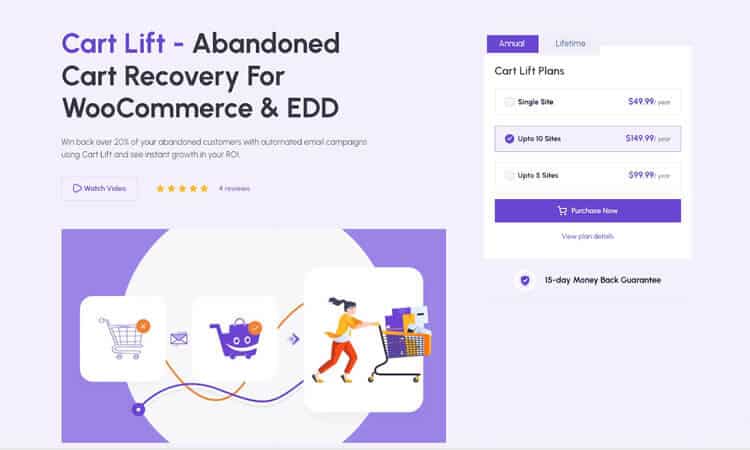
With Cart Lift, you can recover up to 15% of your abandoned carts through automated email campaigns, smart scheduling, and proven templates. Its GDPR-compliant cart tracking ensures that every abandoned cart is detected and followed up on at the right intervals, eliminating the need for manual effort.
The plugin provides detailed analytics, showing the number of carts abandoned & recovered, as well as the amount of revenue regained. You can also include discounts or coupons in recovery emails to encourage conversions.
Cart Lift comes with the Add to Cart Popup Modal, which instantly collects customer emails, helping you grow your mailing list. The Exit-Intent Popup (Pro) prevents users from leaving without completing their purchase, further reducing cart abandonment.
Fully compatible with all WooCommerce and EDD themes, Cart Lift combines automation, insightful reports, and lead-generation tools, making it an essential plugin for boosting conversions and maximizing your store’s revenue.
Important Features
- Automated Cart Tracking: Automatically detect and track abandoned carts to initiate recovery campaigns without manual effort. Fully GDPR-compliant for user privacy.
- Personalized Email Campaigns: Create and send customized recovery emails with flexible scheduling and proven templates.
- Detailed Analytics Dashboard: Access in-depth reports on abandoned and recovered carts, total revenue regained, and campaign performance insights.
- Add to Cart Popup Modal: Collect customer emails when they add products to their cart, helping you build your mailing list while reducing cart abandonment.
- Exit-Intent Popup (Pro): Prevent users from leaving your site by showing a persuasive offer or reminder before they exit the page.
Easy Digital Downloads (EDD): For Digital Product Sales
Easy Digital Downloads, or EDD, provides a comprehensive solution for WordPress users looking to sell digital products through their online stores. Unlike WooCommerce, which primarily caters to physical products, EDD is tailored for digital goods like eBooks, videos, music, and more. It addresses payment and transaction issues for digital downloads, supporting various payment gateways for a hassle-free experience. 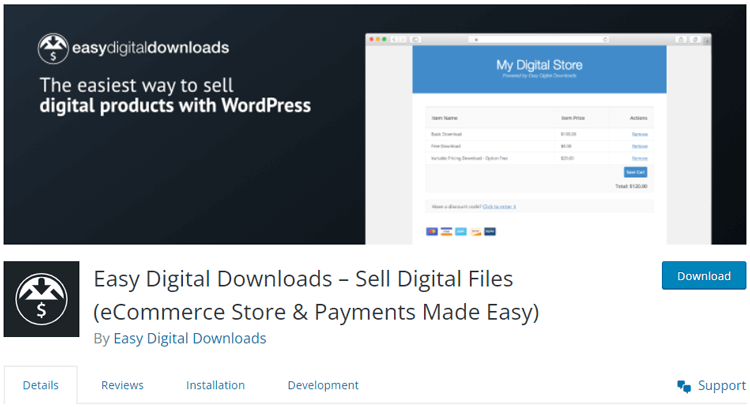
EDD seamlessly integrates with numerous WordPress themes without extensive customizations.
With passcode protection, you can create secure, hidden sections on product pages.
This ensures users can’t access digital downloads without proper payment. EDD offers a clean and minimalist interface for optimal performance. You can add multiple digital products without any performance lag. It’s an ideal choice for selling digital content online exclusively.
Important Features
- Digital Goods Support: Effortlessly integrate digital content like music and videos, allowing you to add full albums or individual tracks seamlessly.
- Versatile Payment Gateway Compatibility: Access reliable payment gateways like PayPal, Stripe, and Apple Pay to ensure a smooth checkout experience.
- Enhanced Customer Management: Gain better control over customer details and payment history, facilitating improved accounting management.
- Discount Code Application: Boost sales effortlessly by applying discount codes during the payment process, encouraging purchase completion.
- Multi-Language Support: Access over 24 languages with frequent updates, ensuring a user-friendly interface for a global audience.
- Test Payment Functionality: Test your payment system using the provided option for test payments, ensuring seamless transactions.
- Flexible Pricing Options: Configure variable pricing and multiple pricing structures for each product, tailoring prices to your specific requirements.
- VAT Inclusion for EU and UK Customers: Easily incorporate VAT into the total price for EU and UK customers using the reverse-charge system, ensuring compliance and clarity in pricing.
👉 Learn How to Set Up a Print on Demand Store with WooCommerce
WooCommerce Cart Share and Save
The Cart Share and Save plugin offers a unique and distinctive shopping cart experience. This cart isn’t just for making purchases but for storing and sharing your carts. You can share your cart on various social media platforms like Facebook and Twitter.
A popup window displays share options when clicking the share button. This enables you to share, save, and print your cart in preferred formats. When you share your cart on social media, connections can see cart contents.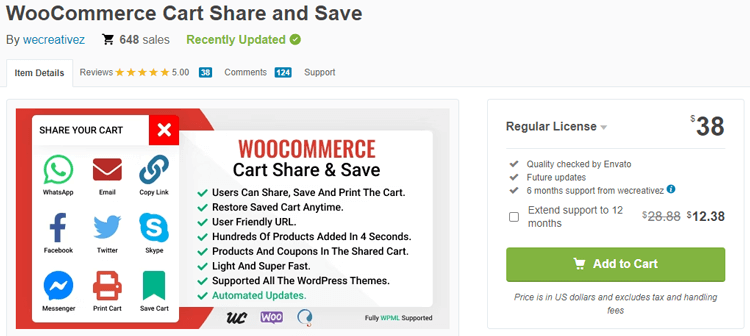
When you share your cart on social media, such as Facebook, your connections can easily see the contents of your cart and learn about the store where you’re shopping. This promotes your brand and store, potentially attracting more customers and increasing revenue.
The WooCommerce shopping cart is lightweight and loads quickly. You can add numerous products in seconds, ensuring seamless shopping experience.
Important Features
- Rapid Product Management: Excellent storage capability, enabling quick saving of hundreds of products within seconds.
- Cart Persistence: Save your cart via the My Account dashboard for future reference, allowing easy access to previously assembled items.
- Coupon Integration: Include coupons within the cart and save them with automatically applied discounts, enhancing user convenience.
- Cart Restoration: Restore previously saved carts directly from the My Account section, facilitating a seamless shopping experience.
- Real-time Cart Updates: AJAX compatibility ensures instantaneous cart updates upon any product addition or removal, providing users with up-to-date information.
👉 Check 5 Best WooCommerce Google Analytics Plugins
WooCommerce One Page Checkout
WooCommerce One Page Checkout significantly improves over the standard WooCommerce cart plugin. The default WooCommerce cart lacks unique features for an optimal user experience. The traditional two-page checkout process can deter customers and lead to abandoned carts.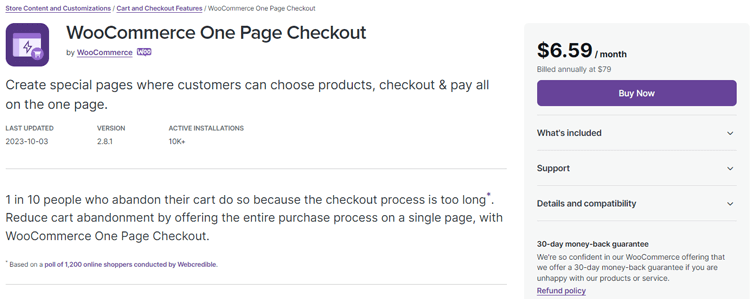
WooCommerce One Page Checkout addresses these issues by combining cart and checkout pages. This streamlined approach eliminates customers’ need to navigate multiple pages. It reduces the risk of cart abandonment significantly.
It also offers flexibility by utilizing shortcodes, which can be used to create various elements like photo sliders, forms, or custom layouts. By implementing shortcodes with other plugins, you can integrate checkout functionality seamlessly.
Use this to enhance your existing product pages or create dedicated landing pages to showcase your products. This solution caters to both physical and digital products effectively. It provides customers with a versatile and efficient shopping experience.
Important Features
- Streamlined Checkout Process: Easily activate a one-page checkout for each product in your inventory through the graphical interface.
- Template Variety: Select from various templates—such as product tables, lists, or single product displays—to best match your preferences.
- User-Friendly Pricing Table: Ideal for subscription-based products or services, this template offers a clear comparison for customers and a seamless sign-up option.
- Dynamic Shortcodes: Use shortcodes to create specific product landing pages effortlessly for promotions or discounts.
- Efficient Cart Management: Seamlessly manage your cart by adding or removing products and automatically adjusting the checkout value.
- Strategic Promotion Placement: Highlight promotional or sales copy above the shortcode to capture attention while conveniently placing the checkout option below.
- Comprehensive Cart Details: The cart displays all necessary product information, with billing, order details, and checkout information conveniently located in the bottom section.
👉 Check Top 11 Ways for eCommerce Marketing Strategy to Grow your WooCommerce Store
Ecwid Shopping Cart
The Ecwid eCommerce shopping cart stands out as an exceptional WooCommerce cart widget generator. Its cloud-based hosting conveniently stores payment details and eCommerce store information. It also manages inventory without requiring hosting system upgrades.
You can create a new site using Ecwid or leverage its features with existing WordPress sites. It works seamlessly for selling both digital and physical products. While this shopping cart plugin doesn’t rely on your hosting server, it’s trusted by millions.
While this shopping cart plugin for WordPress doesn’t rely on your hosting server, it has earned the trust of millions.
The plugin is fully mobile-friendly and free on iOS and Android platforms. It allows you to track inventory details and manage eCommerce activities easily. You can accept payments from anywhere in the world with confidence. The automatic shipping calculation applied to your cart’s total price simplifies operations.
Important Features
- Shipping Integration with Leading Carriers: Seamlessly connect with well-known shipping carriers like USPS, UPS, FedEx, Canada Post, and others for precise and automated shipping calculations.
- Secure Payment Options: Access over 40 secure payment methods, ensuring top-tier security through PCI-compliant payment gateways for HTTP checkout.
- Robust Cloud-Based Hosting: Benefit from cloud-based hosting with unlimited storage, regular backups, and continuous security upgrades to safeguard your files and data.
- Multi-Platform Shop Promotion: Extend your market reach by advertising your shop across platforms like Facebook Marketplace, Google Shopping, and Amazon alongside your WordPress-powered sites.
- Flexible Cart Display Options: Showcase main and additional images in the cart while having the flexibility to show or hide price, SKU, product names, and other details according to preferences.
- Tailored Cart Layout: Customize your cart’s appearance by positioning the product name at the center, below the image, or displaying it upon mouse hovering.
- Versatile Cart Layouts: Design visually captivating cart layouts by organizing text and images into one, two, or multiple columns for a stunning presentation.
- Preview Option for Customization: Utilize the preview feature to test and select the best customization options for your cart section.
ShopLentor – WooCommerce Builder for Elementor & Gutenberg
A versatile page builder to build modern and excellent online stores with more than 100k Active Installations.
Best Practices for Cart Optimization
Optimizing your shopping cart can significantly reduce abandonment rates and increase conversions. Keep the checkout process as simple as possible, with a minimal number of required fields.
- Offer guest checkout options alongside user account creation.
- Display security badges and SSL certificates to build customer trust.
- Show clear shipping costs and delivery timeframes early in the process.
- Offer multiple payment options to cater to diverse customer preferences.
- Use progress indicators to show customers where they are in the checkout process. This reduces anxiety and helps customers understand the remaining steps.
- Implement cart abandonment recovery emails to recapture lost sales.
- Regularly test your cart functionality across different devices and browsers. This ensures a consistent experience for all customers regardless of their platform.
Frequently Asked Questions
What are shopping cart plugins for WordPress?
Shopping cart plugins for WordPress are add-ons that allow website owners to create online stores. They enable direct product sales from WordPress sites with comprehensive eCommerce functionality. These plugins provide efficient ways to manage product listings, payment options, and shipping methods.
Are all shopping cart plugins suitable for both physical and digital products?
No, not all shopping cart plugins are suitable for both physical and digital products. Some are designed specifically for one product type, while others can handle various product types. Researching and choosing a plugin that fits your specific needs and product offerings is important.
Can I customize the layout of my shopping cart page with these plugins?
Yes, most shopping cart plugins for WordPress offer customization options for the layout of your cart page. This allows you to match the design and branding of your website and create a seamless shopping experience for customers.
Can I integrate payment gateways with these plugins?
Absolutely! Most shopping cart plugins come with integration options for popular payment gateways such as PayPal, Stripe, and Square. This lets customers pay for their purchases directly and securely from your website. Some plugins may also offer additional payment options for specific regions or countries.
Do I need coding knowledge to use WordPress shopping cart plugins?
No, most WordPress shopping cart plugins are designed with a user-friendly interface and do not require extensive coding knowledge. However, some plugins may have advanced features that require basic HTML or CSS knowledge to utilize fully.
Can I add promotional text and offers above my shopping cart?
Yes, many shopping cart plugins offer options to add promotional text or sales copy above the cart page. This is a great way to entice customers and showcase any ongoing promotions or discounts.
Can I track my inventory and stock levels with WooCommerce shopping cart plugins?
Yes, most WooCommerce shopping cart plugins offer inventory management features to help you keep track of your stock levels. This prevents overselling and helps you maintain accurate product listings for customers. You can also set up notifications for low stock levels to restock before running out of popular products.
Final Thoughts
Shopping cart plugins for WordPress can greatly streamline your e-commerce processes. They provide convenient shopping experiences that customers appreciate and return to. With various options available, you can choose one that suits your specific needs.
Remember to consider the type of products you sell and the payment gateways you want. Consider customization options and additional features that could benefit your store. Take the time to research and choose a reliable, user-friendly plugin for a successful e-commerce platform.
Whether you’re selling physical products, digital downloads, or both, suitable shopping cart plugins exist. The right choice can help you boost sales and attract more customers to your WordPress site.