12+ Best WooCommerce Coupon Plugins in 2026

Coupons drive sales and build customer loyalty in eCommerce. They’re essential tools for modern online stores to attract new customers.
In fact, a recent study revealed that 62% of U.S. consumers actively search for promo codes, discounts, or coupons when making online purchases. This highlights the significant impact of coupons on consumer behavior.
WooCommerce store owners need effective coupon strategies. The right plugin can transform your promotional campaigns. It helps create targeted discounts for different customer segments.
Coupon plugins simplify discount management in WooCommerce stores. They automate processes and save time. You can create custom promotions that match your business goals.
In this article, we evaluate features, ease of use, compatibility, support, and pricing for 12+ best WooCommerce coupon plugins to help you choose the one that best suits your store’s needs. Let’s dive in to find the perfect coupon plugin for your WooCommerce store!
Table of Contents
Key Takeaways
- Learn what coupon plugins are and how they can enhance your WooCommerce store’s promotional strategies.
- Discover the essential features of coupon plugins.
- Understand how these tools boost sales, improve customer loyalty, and streamline discount management.
- Gain insights into selecting a coupon plugin that aligns with your store’s unique requirements and long-term goals.
- Explore how plugins allow you to personalize coupons, from design and rules to usage restrictions.
Recommended Blog for You:
👉 How to Create a Coupon Code in WooCommerce: A Complete Guide
👉 How to Add Product Badges in WooCommerce to Increase Sales
👉 How to Create a Subscription Popup on WordPress: The Beginner’s Guide
👉 Core Web Vitals for WooCommerce: How to Fix Slow and Heavy Store Pages
👉 6 Email Subscription Popup Examples to Increase Conversions
Top 12+ Best WooCommerce Coupon Plugins
Coupons are a proven way to attract customers, encourage repeat purchases, and boost sales in your WooCommerce store. With the right coupon plugin, you can automate discounts, create engaging campaigns, and even gamify the shopping experience. Here are the 12+ best WooCommerce coupon plugins to elevate your eCommerce strategy:
1. WooCommerce Advanced Coupon by ShopLentor
ShopLentor is an all-in-one solution for WooCommerce with powerful eCommerce features. The Advanced Coupon Module extends WooCommerce’s basic coupon system with robust marketing tools. It allows you to create custom error messages, set start dates, and add multiple restriction options.
The module helps you limit coupons by payment methods, shipping options, and user roles. You can restrict coupons by country and create unique URL coupons for email campaigns. The bulk coupon generator saves time when creating multiple promotional codes.
Store owners get complete control over their discount campaigns through an intuitive interface. You can easily track coupon performance and adjust strategies as needed. This module’s flexibility makes it perfect for both simple and complex promotional campaigns.
Key Features:
- Create multiple coupons instantly
- Add unique prefixes and suffixes
- Schedule coupon start dates
- Save time on campaign setup
- Control payment methods
- Limit shipping options
- Create instant-apply coupon links
Pros and Cons
Pros:
- Lightweight module design
- Compatible with payment gateways
- Multiple restriction layers
- Custom error messages
- URL-based auto-apply system
Cons:
- Requires the main ShopLentor plugin.
Pricing: Free
2. Smart Coupons
Smart Coupons by WebToffee is an all-in-one coupon plugin for WooCommerce that goes well beyond bulk operations. It packs advanced promotion types: BOGO deals, store credits, gift cards, URL coupons, abandoned cart recovery, sign-up coupons, and purchase history-based discounts into a single plugin, replacing what would normally require several separate tools.
The plugin gives store owners precise control over coupon conditions. You can restrict offers by user role, location, payment method, cart total, product category, or order history.
It’s particularly strong for stores running serious promotional campaigns. The built-in WooCommerce coupon generator can produce thousands of unique codes and export them to CSV in seconds, while countdown banners add urgency to time-limited deals. With 1.8 million+ active installations and a 4.9-star rating from real users, it’s one of the most established coupon plugins for WooCommerce on the market.
Key Features:
- BOGO deals with tiered quantity-based offers (Buy 2 Get 1, Buy 4 Get 2, and more)
- Store credits and gift cards built into one plugin
- Abandoned cart recovery coupons
- Sign-up coupons for new customer onboarding
- Built-in coupon generator for bulk creation with CSV import/export
Pros and Cons
- Pros: Strong support reputation with a 30-day money-back guarantee.
- Cons: Broad feature set has a learning curve for new users.
Pricing: Free version available, Premium version starts at $89/year for a single site.
3. Advanced Coupons
Advanced Coupons is a premium solution for WooCommerce stores seeking comprehensive discount management. It offers sophisticated BOGO deals and cart conditions that can be precisely tailored to your marketing strategy. 
The built-in loyalty program helps convert one-time buyers into repeat customers. Its store credit system provides flexible options for customer rewards and refunds. It is perfect for medium to large stores looking for advanced marketing capabilities.
Key Features:
- BOGO deals across single products, groups, or categories
- Built-in loyalty program with points redemption
- Integrated store credit system
- Advanced cart condition checking
- Reward customers with loyalty points that can be redeemed for coupons later.
Pros and Cons
Pros:
- Extensive marketing features,
- Built-in loyalty system,
- Comprehensive store credit functionality.
Cons:
Pricing: Free version available. Advanced coupons also offer 3 premium plans:
- Growth plan for a single-site license costs $59.50/year
- Plus plan for 3 site licenses $99.50 / year
- Business plan for unlimited site license costs $149.50/year
4. ELEX WooCommerce Dynamic Pricing and Discounts Plugin
ELEX WooCommerce Dynamic Pricing and Discounts Plugin makes it easy for store owners to create flexible pricing and discount rules for their WooCommerce store. You can apply discounts to products, categories, product combinations, and the shopping cart without a complicated setup.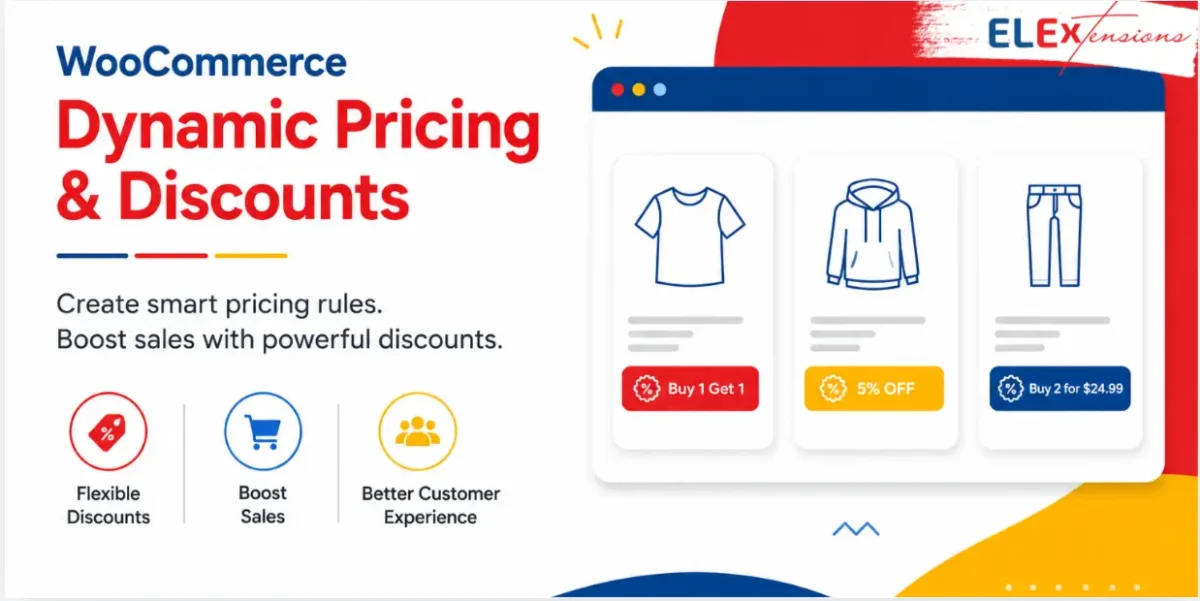
The plugin lets you create different types of discounts, including percentage, flat, fixed-price, and coupon discounts. You can also run popular promotions like Buy One Get One (BOGO), bulk discounts, and category-based offers to encourage more sales.
Key Features:
- Create percentage, flat, fixed-price, and coupon discounts
- Set discounts based on products and categories
- Create bulk and quantity-based discounts
- Offer BOGO deals
Pros and Cons
Pros:
- Easy to create different discount rules
- Supports BOGO and bulk discounts
- Flexible pricing options
- Works with products, categories, tags, and carts
- 30-day money-back guarantee
Cons:
- Advanced rules may take some time to set up.
- Many options can feel overwhelming at first.
Pricing: Starts at $99/year for a single site. Plans are also available for up to 5 and 25 sites. A 30-day money-back guarantee with one year of support and updates is included.
5. Pointics
Pointics is an AI-powered loyalty and rewards plugin for WordPress and WooCommerce. It allows store owners to reward customers with points for purchases, account registrations, product reviews, referrals, birthdays, daily logins, and other valuable actions.
Customers can redeem their earned points for fixed or percentage discounts, coupon codes, cart credit, cashback, gift cards, free shipping, free products, and custom rewards. Pointics also supports referral programs and VIP levels, helping stores turn occasional shoppers into repeat customers. Its AI assistant can suggest reward ideas and help users build loyalty campaigns based on their goals.
Key Features:
- AI-assisted loyalty campaign setup
- Custom point-earning rules
- Coupon conversion and cart credit
- Referral rewards and VIP levels
- Points expiry and scheduled campaigns
- Loyalty analytics and activity logs
Pros and Cons
- Pros: Multiple earning and redemption options, AI-assisted setup, and built-in referral and VIP programs.
- Cons: Pointics is relatively new, and several third-party integrations are still under development.
Pricing: Free version available. Lifetime plans currently start at $59 for up to five sites.
6. WooCommerce Volume Discount Coupons
This WooCommerce plugin specializes in creating volume-based discount strategies to encourage larger purchases. Its automatic discount application removes friction from the customer experience. The clear display of available discounts on product pages helps drive purchasing decisions.
The plugin offers flexible configuration options for different volume thresholds. Particularly effective for wholesale or bulk-purchase focused stores.
Key Features:
- Automatic discount application
- Volume-based discount rules
- Product page discount notifications
- Custom coupon code input
Pros and Cons
- Pros: Automatic discount application, aesthetic display options.
- Cons: Basic feature set compared to premium alternatives.
Pricing: $29/year
7. SureTriggers
SureTriggers revolutionizes coupon automation through its intelligent trigger-based system. The plugin excels at creating personalized discount experiences based on customer behavior. Its seamless integration with WooCommerce makes implementation straightforward and reliable.
The automated coupon generation saves significant administrative time and reduces human error. The plugin’s targeting capabilities ensure discounts reach the right customers at the right time.
Key Features:
- Automated coupon code generation
- Trigger-based creation system
- Seamless WooCommerce integration
- Targeted discounting capabilities
Pros and Cons
- Pros: Strong automation features, user-friendly interface.
- Cons: Limited information about pricing.
Pricing: Free version available. The pro plan costs $108 annually.
8. WooCommerce Discount Manager by Burn2
WooCommerce Discount Manager is a powerful and flexible plugin designed to help WooCommerce stores manage promotions with ease. It gives businesses the tools they need to create effective discounts and special offers without any technical complexity.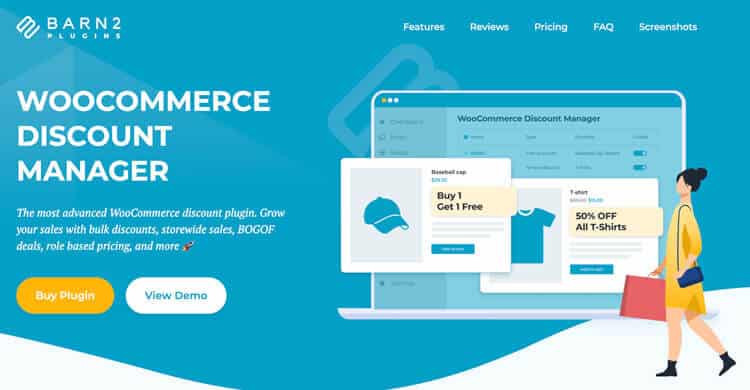
With this plugin, store owners can run a wide range of promotions, including free gifts, percentage discounts, bulk pricing, and more. Discounts can be applied to specific products, categories, or even across the entire store, allowing full control over how and where offers are used.
WooCommerce Discount Manager also makes it simple to present promotions clearly and attractively. Its customizable display options ensure customers can easily see available deals, helping improve engagement, increase conversions, and boost overall sales.
Key Features
- Supports 6+ discount types with advanced rules for products, categories, or the entire store
- Configure user role-specific pricing for targeted promotions
- Create automated campaigns with date-based scheduling controls
- Display promotions dynamically on product pages and cart pages
- Add structured tiered pricing tables for volume discounts
- Centralized management with one-click enable/disable controls
Pros and Cons
Pros:
- Flexible discount types, including bulk pricing, BOGO, and free gifts
- Target promotions by product, category, or storewide.
- Role-based pricing and scheduled campaigns.
- Centralized, easy-to-manage dashboard.
Cons:
- Works only with WooCommerce.
- Advanced setups may need initial configuration.
Pricing:
Annual Payment:
- $79 – 1 Site
- $139 – Up to 5 Sites
- $299 – Up to 20 Sites
Lifetime Purchase:
- $349 – 1 Site
- $599 – Up to 5 Sites
- $1299 – Up to 20 Sites
9. Coupon Creator
Coupon Creator provides a straightforward approach to discount management for small businesses. The plugin focuses on simplicity while maintaining essential coupon functionality. Its coupon loop feature allows for the creative display of multiple offers simultaneously. 
The optional pro upgrade path allows for gradual feature expansion as needs grow. Perfect for stores starting their journey with discount marketing.
Key Features:
- Single coupon display
- Coupon loop creation
- Optional pro upgrade
- Basic customization options
Pros and Cons
- Pros: Easy to use, free version available.
- Cons: Limited functionality in the free version.
Pricing: Free
10. Discount Rules for WooCommerce
Discount Rules for WooCommerce plugin is a comprehensive solution that makes complex discount rules accessible to non-technical users. The plugin handles everything from simple percentage discounts to sophisticated BOGO deals. 
Its user-role-based discount system enables targeted promotions for different customer segments. The first-order discount feature helps attract new customers effectively. Outstanding customer support ensures smooth implementation and operation.
Key Features:
- Bulk discounts
- Storewide global discounts
- BOGO discounts
- User-role-based discounts
- First-order discounts
Pros and Cons
- Pros: User-friendly interface, excellent customer support.
- Cons: May have a learning curve for advanced features.
Pricing: Free
11. Multi Vendor Coupon Marketplace Plugin
Specifically designed for marketplace websites with multiple vendors needing coupon control. Each vendor gets their own dashboard for managing discounts independently. The plugin maintains a clear separation between different vendors’ coupon campaigns.
Built-in controls prevent coupon abuse while maintaining flexibility. Ideal for growing marketplaces looking to empower their vendors.
Key Features:
- Vendor-specific coupon creation
- Individual vendor dashboards
- Usage restriction controls
- Cart value conditions
Pros and Cons
- Pros: Excellent for multi-vendor sites, vendor autonomy.
- Cons: Specialized use case may not suit all stores.
Pricing: Regular License $62, Extended License $361
12. WooCommerce MailChimp Newsletter Discount
Combines email list building with discount marketing for maximum impact. Seamlessly integrates with MailChimp for automated discount distribution.
Features double opt-in to ensure quality email list growth. Includes desktop notifications to keep administrators informed of subscription activity. Perfect for stores focusing on email marketing as a primary channel.
Key Features:
- MailChimp integration
- Automatic discount distribution
- Double opt-in feature
- Desktop notifications
Pros and Cons
- Pros: Easy setup, good email marketing integration
- Cons: Limited to the MailChimp platform
Pricing: Free
13. Coupon Referral Program
The Coupon Referral Program for WooCommerce by WP Swings helps attract and reward customers with a referral system. It boosts customer acquisition, engagement, and revenue by offering rewards for sharing coupons and links.
The plugin includes tracking, reporting, and customization features, ensuring a seamless referral process for admins and customers alike.
Key Features:
- sign-up and referral coupons with customizable rules.
- Track rewards, referrals, and program data via dashboards and reports.
- Ensure fraud prevention with IP restrictions and email tracking.
- Customize coupon design, value, and conditions.
- Compatible with WooCommerce Points Rewards and Subscriptions.
Pros and Cons
- Pros: Easy to set up and customize referral programs
- Cons: Requires additional plugins for some features (e.g., WooCommerce Subscriptions)
Pricing: $49/year
14. Coupon Wheel
Brings gamification to discount marketing through an engaging wheel of fortune interface. Creates an interactive experience that makes receiving discounts more exciting. Integrates with email marketing to build subscriber lists while distributing coupons.
Includes countdown timers to create urgency and boost conversion rates. Particularly effective for engaging younger demographics and social media audiences.
Key Features:
- Wheel of fortune game interface
- Automatic coupon generation
- Email integration
- Countdown timer feature
Pros and Cons
- Pros: Engaging user experience, email list building
- Cons: May not suit all brand styles
Pricing: Regular License $25 $19, Extended License $499
15. Exit Coupon
Specializes in reducing cart abandonment through well-timed discount offers. Detects when visitors are about to leave and presents targeted coupon offers. Features fully customizable popup designs to match brand aesthetics.
Works across both desktop and mobile interfaces for consistent coverage. Includes clipboard integration for easy coupon code saving.
Key Features:
- Exit-intent detection
- Customizable popup design
- Mobile/desktop targeting
- Clipboard integration
Pros and Cons
- Pros: Targets abandoning visitors, easy customization
- Cons: Limited to exit-intent scenarios
Pricing: Regular License $14, Extended License $75
ShopLentor- WooCommerce Builder for Elementor & Gutenberg
A versatile page builder to build modern and excellent online stores with more than 100k+ Active Installations.
How to Choose the Perfect WooCommerce Coupon Plugin
Here are the six most crucial factors to consider when selecting a WooCommerce coupon plugin:
- Essential Features: Every store needs basic discount types and flexible coupon management options. Look for plugins that offer percentage discounts, fixed amounts, and BOGO deals. Advanced features should include usage limits and scheduling capabilities.
- User Experience: A clean, intuitive interface saves time and reduces management headaches. Choose plugins with straightforward coupon creation processes and clear dashboard layouts. Good user experience means you can create and manage promotions without technical expertise.
- Compatibility & Performance: Your plugin must work perfectly with your WordPress and WooCommerce versions. Check for regular updates and ensure the plugin doesn’t slow down your store. Test compatibility with your theme and other essential plugins.
- Support & Documentation: Quality support helps you solve problems quickly and maximize plugin features. Look for vendors offering detailed documentation, video tutorials, and responsive customer service. Active user communities can provide additional help and tips.
- Price vs. Value: Consider both immediate costs and long-term value for your business. Free versions work well for basic needs, while premium features often justify their cost. Compare pricing plans against your promotional strategy requirements.
- Reporting & Analytics: Choose plugins that provide clear insights into coupon performance. Good reporting tools help track usage patterns and campaign success rates. Data-driven decisions improve your promotional strategies over time.
Maximizing the Impact of Your Coupon Strategy
Simply installing a coupon plugin isn’t enough. You need a solid strategy to make the most of it. Here are some key ways to enhance your discount campaigns:
- Segment Your Audience: Offer targeted discounts to specific customer groups, such as loyal buyers or first-time visitors.
- Use Time-Limited Offers: Create urgency with limited-time coupons to encourage immediate purchases.
- Leverage Email Marketing: Send personalized coupon codes to customers via email to improve conversion rates.
- Monitor Coupon Performance: Track which coupons perform best and adjust your strategy accordingly to maximize effectiveness.
With the right plugin and a well-planned strategy, you can use coupons to drive more sales and build customer loyalty in your WooCommerce store.
Frequently Asked Questions
What is a coupon plugin, and why do I need one for my WooCommerce store?
A coupon plugin helps you create, manage, and customize discount campaigns, making it easier to attract and retain customers while boosting sales.
Are these coupon plugins beginner-friendly?
Yes, most plugins come with user-friendly interfaces and detailed documentation to help beginners set up and manage their coupon campaigns easily.
Can I use these plugins with other WooCommerce extensions?
Many plugins offer compatibility with popular WooCommerce extensions like Subscriptions, Points and Rewards, and multi-currency tools for seamless integration.
Do these plugins support multi-language and multi-currency stores?
Yes, many plugins on this list support multi-language and multi-currency functionality, making them suitable for global businesses.
Are there free versions of these plugins available?
Some plugins offer free versions with basic features, allowing you to test their functionality before upgrading to premium plans.
How do I choose the best coupon plugin for my store?
Consider your store’s specific needs, technical expertise, and marketing goals. Look for plugins with features that align with your requirements, such as advanced restrictions, reporting, and compatibility with existing tools.
Conclusion
Each plugin in this comprehensive list serves different business needs and strategic goals. Some excel at basic coupon management, while others offer advanced marketing features. Consider your store’s specific requirements, technical capabilities, and long-term marketing strategy when making your choice.
The right coupon plugin can transform your WooCommerce store’s promotional capabilities. From simple discounts to complex loyalty programs, these tools help create engaging customer experiences and boost sales.
Ready to enhance your store’s promotional strategy? Explore these options, choose the plugin that best fits your needs, and start creating impactful campaigns today.