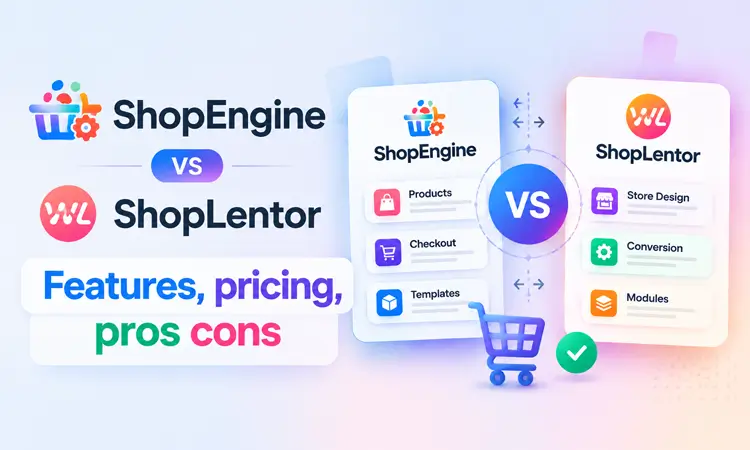
ShopEngine vs ShopLentor: Which WooCommerce Builder Should You Choose in 2026?

ShopEngine and ShopLentor are WooCommerce builder plugins that help store owners customize product, shop, cart, checkout, and account pages without coding. Both support Elementor and Gutenberg, but they differ in library size, workflow, modules, templates, and pricing structure.
This updated ShopEngine vs ShopLentor comparison examines their verified features, practical strengths, pricing approaches, and best use cases. It will help you choose a plugin based on what your store needs rather than forcing a single winner.
Quick Answer: ShopLentor and ShopEngine are both WooCommerce builders that help create custom stores without coding. ShopLentor focuses on a broader library of widgets, blocks, templates, and conversion modules, while ShopEngine focuses on a streamlined WooCommerce builder workflow with Elementor and Gutenberg support.
Choose ShopLentor if you need more design flexibility and a larger feature library. Choose ShopEngine if you prefer a focused WooCommerce builder with clearly structured pricing. The right choice depends on your store requirements, workflow, and budget.
Table of Contents
What Is ShopLentor?
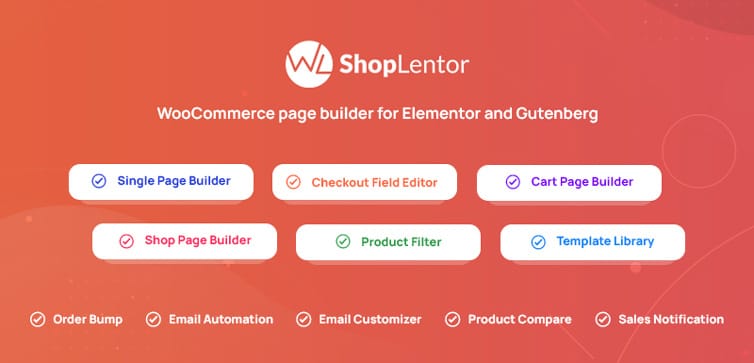
ShopLentor, formerly known as WooLentor, is an all-in-one WooCommerce page builder for Elementor and Gutenberg. It helps users visually customize major store areas, including Shop, Product, Cart, Checkout, My Account, and Thank You pages.
Its WooCommerce Template Builder lets users replace standard WooCommerce layouts with custom designs. You can start with a blank layout or use its collection of custom WooCommerce templates and edit them with Elementor or Gutenberg.
ShopLentor works with the free version of Elementor, so Elementor Pro is not required. It can also work without Elementor when you use its native Gutenberg blocks. This flexibility makes it suitable for Elementor users, block-editor users, freelancers, agencies, and store owners who want page-building and conversion features in one plugin.
ShopLentor also includes modules for product discovery, checkout improvements, store management, and marketing. Examples include Wishlist, Product Compare, Quick View, Variation Swatches, Product Filters, Sales Notification, Multi-Step Checkout, Email Customizer, and Currency Switcher. Feature availability varies between the free and Pro versions.
What Is ShopEngine?
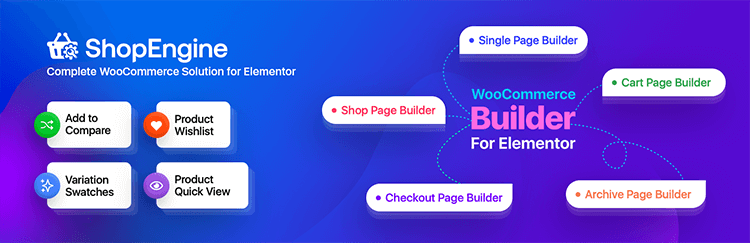
ShopEngine is a WooCommerce builder for Elementor and Gutenberg. It lets store owners customize Shop, Product, Cart, Checkout, Quick View, Thank You, and Account pages.
Its widgets are grouped by page type — Single Product, Archive, Cart, Checkout, Order, and Account — which makes finding the right element during a build straightforward. ShopEngine also includes sales-focused add-ons: Variation Swatches, Product Comparison, Wishlist, Flash Sale, Pre-Order, Partial Payment, Quick Checkout, Sales Notification, Product Size Charts, Currency Switcher, and Cross-Sell Popup.
Like ShopLentor, it works with free Elementor. Elementor Pro is not required.
How We Compared Them
All feature figures in this article come directly from each plugin’s official product and pricing pages. Where official numbers are inconsistent across pages, we note it. Pricing reflects publicly advertised figures at the time of writing — always confirm at checkout before purchasing.
ShopEngine vs ShopLentor Features
The following ShopEngine vs ShopLentor table uses the current figures displayed on the products’ main official pages. These library totals may change as the developers add or retire features.Feature ShopLentor ShopEngine Elementor widgets 125+ 70+ Gutenberg support 89+ Gutenberg blocks Gutenberg support Modules or add-ons 37 modules 20+ add-ons Ready templates 281+ 40+ Elementor support Yes Yes Gutenberg support Yes Yes Elementor Pro required No No Template builder Yes Yes Wishlist Available Available Quick View Available Available Product Comparison Available Available Variation Swatches Available Available Product Filters Available Available Flash Sale tools Available Available Pre-Order Available Available Partial Payment Available Available Multi-Step Checkout Available Available Currency Switcher Available Available Email Customizer Included as a ShopLentor module Available separately through WPMet’s EmailKit plugin Active installations 80,000+ 100,000+
“Available separately” means ShopEngine does not include its own email-customizer module in the main plugin. WPMet offers that capability through EmailKit, a separate companion product that may require its own installation and license. This distinction matters if you want to minimize the number of plugins used by your store.
The table intentionally lists features as “Available” instead of assuming they are free. Module availability and license requirements can change, so check each product’s current feature matrix before buying.
Widgets and Blocks
ShopLentor’s main product page advertises 125+ Elementor widgets and 89+ native Gutenberg blocks. Its library covers general product displays, Shop and Archive pages, Single Product layouts, Cart, Checkout, My Account, email layouts, and additional revenue tools.
ShopEngine advertises 70+ widgets. Its official documentation organizes the library into general, product, checkout, archive, account, and order categories, providing a focused structure for building major WooCommerce pages.
The numerical advantage does not automatically make one plugin better. A larger library can provide more design choices, but a smaller library may be easier to navigate if it already includes every element a store needs. Before purchasing, list your required page elements and confirm which plugin provides them in the plan you are considering.
Modules and Add-ons
ShopLentor advertises 37 modules covering checkout, product discovery, marketing, store management, and post-purchase communication. However, its pricing page shows 15 free modules and 22 Pro modules in the feature comparison, so the headline number and the plan-specific breakdown don’t match. Rely on the live module list to confirm what’s included in whichever plan you’re evaluating.
Key ShopLentor modules include:
- Checkout: Multi-Step Checkout, Shopify-style Checkout, Checkout Fields Manager
- Product discovery: Quick View, Product Compare, Wishlist, Product Filters
- Store tools: Variation Swatches, Sales Notification, Currency Switcher, Email Customizer, GTM Conversion Tracking
ShopEngine advertises 20+ add-ons focused on the features stores use most: Product Comparison, Wishlist, Variation Swatches, Pre-Order, Partial Payment, Flash Sale, Quick Checkout, Sales Notification, Advanced Coupon, Product Size Charts, and Cross-Sell Popup.
ShopLentor covers more ground. ShopEngine offers a tighter, curated set. The right call is which modules your store will actually use, not which plugin has more of them.
Template Libraries
ShopLentor’s product page advertises 281+ templates across Shop, Single Product, Cart, Checkout, My Account, Thank You, popups, and emails. Its pricing FAQ separately mentions 110+ premium templates.
These are not competing figures – the larger total likely includes the full collection, while 110+ likely refers to premium-only templates. The official pages don’t reconcile this clearly, so check which page types and templates are included in the specific plan you’re considering.
ShopEngine advertises 40+ templates for Shop, Product, Quick View, Cart, Checkout, Quick Checkout, and Account pages.
ShopLentor has more templates on paper. Template quality and coverage for the specific pages you need matter more than the total number. Preview the designs and confirm they’re available in your plan before buying.
Elementor and Gutenberg
Both plugins support Elementor (free version) and Gutenberg. Editor compatibility is not going to be the deciding factor here.
ShopLentor publishes a specific Gutenberg block count (89+) and can work entirely without Elementor. ShopEngine supports Gutenberg but doesn’t publish a comparable block count on its main product page.
If Gutenberg is your primary editor and you need a large, well-documented block library, ShopLentor has the stronger published case. For Elementor-first stores, both are viable — compare the specific widgets and templates relevant to your store.
For a broader look at these editors, see Elementor vs Gutenberg.
Ease of Use
Both plugins use visual drag-and-drop workflows. Beginners can import a template, swap the demo content, adjust colors and spacing, and assign the layout to the appropriate WooCommerce page without any coding.
ShopLentor’s larger library means more options to review, but selective module activation helps – enable only what you need. ShopEngine’s smaller, categorized library may feel more approachable if you just want to build the core WooCommerce pages without browsing through extra tools.
Pricing Comparison
Pricing requires careful reading – especially for ShopLentor, where the current promotional offer and standard subscription terms appear on the same page without a clear separation.Pricing point ShopLentor ShopEngine Free version Yes Yes Current entry offer “Half-Year Haven”: $59 for 6 months $59/year for 1 site Standard billing Annually (per FAQ) Yearly plans available Site limits Basic: 1 site; Professional: up to 5; Agency: up to 20 1 site, 5 sites, or unlimited Annual prices Not clearly shown – verify at checkout $59 (1 site), $149 (5 sites), $299 (unlimited) Lifetime prices Mentioned but not clearly listed – verify at checkout $149 (1 site), $249 (5 sites), $599 (unlimited) Auto-renewal Yes – cancellable from account dashboard Confirm at checkout Taxes Excluded May be added based on location
Important: ShopLentor’s $59 offer is for six months, not a year. ShopEngine’s $59 entry plan is for one year. These are not the same value even though the price looks identical. Don’t compare them without factoring in the license duration.
ShopEngine publishes its standard pricing clearly. ShopLentor’s standard annual tier prices are not prominently displayed in the current accessible page content — verify the exact amount and duration at checkout before purchasing.
Performance Considerations
Installing a feature-heavy plugin doesn’t automatically slow your store, but activating modules, widgets, and scripts you don’t use does add unnecessary load. Enable only what your store needs.
Test on a staging site before going live. Check your Shop, Product, Cart, and Checkout pages on both desktop and mobile. For WooCommerce-specific performance guidance, see Core Web Vitals for WooCommerce. For a broader store setup checklist, the WooCommerce store readiness checklist is worth reviewing before launch.
Pros and Cons
ShopLentor
Pros
- Larger published library: widgets, Gutenberg blocks, modules, and templates
- Built-in email customizer — no separate plugin needed
- Works with free Elementor or entirely via Gutenberg
- Broader set of checkout, product, and conversion tools in one plugin
Cons
- Larger library takes more time to explore and configure
- Official product and pricing pages show inconsistent block, module, and template totals
- Standard and lifetime pricing not clearly displayed — requires checkout verification
ShopEngine
Pros
- Focused, categorized widget library organized by WooCommerce page type
- Works with free Elementor and Gutenberg
- Pricing tiers (yearly and lifetime) are clearly and consistently published
- Useful sales add-ons included in the main plugin
Cons
- Smaller library than ShopLentor across widgets, modules, and templates
- Email customization requires WPMet’s separate EmailKit plugin
- Some add-ons are Pro-only
Which One Should You Choose?: ShopLentor vs ShopEngine
| If you need… | Consider… | Why |
|---|---|---|
| The largest template library | ShopLentor | 281+ templates advertised across all major page types |
| A quantified Gutenberg block library | ShopLentor | 89+ native Gutenberg blocks published on product page |
| Broader module coverage | ShopLentor | Covers checkout, product discovery, email, marketing, and store management |
| Built-in email customization | ShopLentor | Email Customizer is a native module — no separate plugin required |
| A streamlined, categorized builder | ShopEngine | Smaller library organized by WooCommerce page type |
| Transparent, clearly published pricing | ShopEngine | Yearly and lifetime tiers are stated directly |
| A 6-month premium trial at $59 | ShopLentor | Current Half-Year Haven promotion |
| A 1-year license at $59 | ShopEngine | Standard $59/year entry plan covers one full year |
| Wishlist, Quick View, Comparison, Swatches | Either | Both products include these core features |
| Elementor or Gutenberg support | Either | Both support both editors without requiring Elementor Pro |
Choose ShopLentor when you need a broader feature set more widgets, Gutenberg blocks, templates, and built-in store modules in a single plugin. It’s especially practical for agencies or stores that want to manage checkout, email, and conversion tools without installing multiple separate plugins.
Choose ShopEngine when you want a focused builder experience, a smaller organized library that covers core store requirements, and straightforward pricing you can budget against.
Before committing to either, install the free versions on a staging site and build the same Product, Cart, and Checkout pages with both. That real-world test will tell you more than any comparison article can.
For a broader look at conversion optimization once your store is built, see this guide to WooCommerce sales funnel with Elementor.
Common Mistakes to Avoid
- Comparing $59 prices directly: ShopLentor’s $59 is for 6 months; ShopEngine’s is for 1 year. They’re not equivalent.
- Assuming “more widgets” means better: What matters is whether the specific widgets your store needs are available in the plan you’re buying.
- Ignoring the free vs. Pro split: Both plugins have features that sound available but require Pro. Check the feature matrix, not the headline numbers.
- Installing both plugins: They overlap heavily. Running both can create conflicts and complicate maintenance. Test one at a time on staging.
- Skipping performance testing: Activating every module “just in case” adds unnecessary script load. Enable only what you’ll actually use and test before going live.
Frequently Asked Questions
Q- 1: Which is better, ShopEngine or ShopLentor?
Answer: Neither is universally better. ShopLentor suits stores that need a larger library of widgets, blocks, and modules. ShopEngine suits stores that prefer a focused builder with clearly published pricing. Your store’s requirements, editor preference, and budget determine the right choice.
Q- 2: What is the main difference between ShopEngine and ShopLentor?
Answer: Scope. ShopLentor advertises 125+ Elementor widgets, 89+ Gutenberg blocks, 37 modules, and 281+ templates. ShopEngine advertises 70+ widgets, 20+ add-ons, and 40+ templates. ShopLentor covers more ground; ShopEngine is more focused.
Q- 3: Can I use ShopEngine and ShopLentor with free Elementor?
Answer: Yes. Both work with free Elementor — Elementor Pro is not required. Both also support Gutenberg, and ShopLentor can work entirely through its native block library without Elementor at all.
Q- 4: Do both plugins have free versions?
Answer: Yes. Both offer free versions suitable for testing the interface and basic features. Advanced modules, templates, and support typically require a premium plan.
Q- 5: Which plugin has more templates?
Answer: ShopLentor. It advertises 281+ templates versus ShopEngine’s 40+. Note that ShopLentor’s pricing FAQ separately mentions 110+ premium templates – the two figures likely refer to different subsets of the collection. Check which page types are in your plan before using template count as the deciding factor.
Q- 6: How much does ShopLentor cost?
Answer: ShopLentor currently promotes a “Half-Year Haven” offer at $59 for six months of premium access. Standard annual plans exist for 1-site, 5-site, and 20-site licenses, but the exact prices aren’t clearly shown in the current page content. Verify the amount, duration, and renewal terms at checkout.
Q- 7: Is ShopLentor’s $59 plan the same as ShopEngine’s $59 plan?
Answer: No. ShopLentor’s $59 covers six months. ShopEngine’s $59 entry plan covers one year for one site. They carry the same headline price but different license durations and therefore different value.
Q- 8:Does ShopEngine have a built-in email customizer?
No. Email customization for ShopEngine is handled through WPMet’s separate EmailKit plugin. ShopLentor includes an Email Customizer as a native module, which keeps the plugin count lower if email template control matters to you.
Final Words
The ShopEngine vs ShopLentor decision comes down to feature scope, workflow, and pricing transparency.
ShopLentor is the better fit when you need more — more widgets, Gutenberg blocks, templates, and built-in modules, including email customization, in a single plugin ecosystem. ShopEngine is the better fit when you want a focused, organized builder with a smaller feature set and pricing you can read clearly without verifying at checkout.
Before paying, confirm the latest features, plan duration, site limits, renewal terms, and final price on the official pages. Then test the free version on staging. For more on building out your WooCommerce store, see our guides on best Elementor addons for WooCommerce and essential WooCommerce plugins.