How to Create a Small Business Website Without Coding Knowledge

Not long ago, building a business website meant hiring a developer and spending thousands of dollars. Today, that is no longer true. With tools like WordPress, WooCommerce, and WooCommerce page builder plugin – ShopLentor, anyone can launch a professional website in a weekend — no technical skills, no code, and no big budget required. The entire setup can cost less than $100 per year.
But here is the real problem most guides do not address: getting started is only half the battle. Many small business owners build a site and then discover it is missing an SSL certificate — the padlock icon that tells customers the connection is safe.
Others find their site invisible on Google Maps because they never set up a Google Business Profile. Some get hacked within months because basic security was skipped. And almost everyone forgets to create a professional email address, still replying to customers from a Gmail account.
These are not small oversights. They are the difference between a website that actively wins customers and one that quietly sits online doing nothing. This guide covers every one of those missing pieces from buying your domain name to setting up local SEO, professional email, website security, and Google Analytics.
Follow each step once, and you will have a complete, professional online presence that works for your business around the clock.
Quick Answer(How to Create a Small Business Website)
Building a professional business website no longer requires coding skills or a big budget. With WordPress, WooCommerce, and ShopLentor, anyone can launch a fully functional online store in a weekend. From domain registration and SSL setup to SEO, Google Business Profile, and website security, everything a small business owner needs to get online confidently and affordably.
What You Will Have After This Guide
- A live professional website with HTTPS security
- A professional business email (you@yourbusiness.com)
- An online store powered by WooCommerce + ShopLentor
- Google Analytics tracking + Google Business Profile for local visibility
- A secured, backed-up site protected against hackers
Table of Contents
Why Every Small Business Needs a Website
Your website works around the clock. Customers can browse your products, learn about your services, and contact you at midnight, on weekends, or during public holidays, without you lifting a finger.
Research shows that 81% of consumers look up a business online before making a purchase decision. If they cannot find you, they find your competitor instead.
A website also builds credibility instantly. When someone searches for your business and finds a polished, professional site, they feel confident choosing you. Without one, potential customers assume you are not established or trustworthy and move on.
Most importantly, you own it completely. Social media platforms change their algorithms, limit your organic reach, and can suspend your page without warning. Your website belongs entirely to you, no platform can take it away or charge you to reach your own audience.
ShopLentor- WooCommerce Builder for Elementor & Gutenberg
A versatile page builder to build modern and excellent online stores with more than 100k+ Active Installations.
Choosing the Right Platform
WordPress powers over 43% of all websites of all websites globally and is the right choice for most small businesses. It is free, flexible, and has an enormous library of plugins. One critical distinction to understand before you begin:WordPress.com WordPress.org (Use This) Hosted, limited customization Self-hosted, full control Plugins restricted Access to 60,000+ plugins Not suitable for business stores Ideal for any business website
Always use WordPress.org. It gives you full ownership and lets you add powerful plugins like ShopLentor. Wix and Squarespace may seem easier at first, but they lock you into their ecosystem and restrict growth.
Getting Started: The Basics You Need
There are three fundamental things that you require before constructing your site.
1. Domain Name
Your domain is your web address (e.g., yourbusiness.com). Keep it short, match your business name, and choose .com where possible. Recommended registrars: Namecheap ($10-12/year) or Google Domains ($12/year). Many hosts include a free domain for the first year.
2. Web Hosting
Hosting is where your website files live. Choose a provider that includes one-click WordPress installation, a free SSL certificate, and daily backups.Provider Price/Month Best For Hostinger $2.99 Best value + speed SiteGround $3.99 Best support Bluehost $2.95 WordPress recommended
Learn More: How to Choose the Best Hosting for WooCommerce: Expert Tips
3. A Responsive Theme
A responsive theme controls your site’s appearance. For ShopLentor users, choose a theme compatible with Elementor or Gutenberg — top free options include Astra, OceanWP, and GeneratePress.
Activate Your SSL Certificate (HTTPS) First
Do Not Skip This:
Without SSL, browsers show a “Not Secure” warning that destroys customer trust and kills sales. Google also ranks HTTPS sites higher. Most hosts offer a free SSL certificate via Let’s Encrypt.
To activate SSL: log into your hosting cPanel, find the SSL/TLS or Let’s Encrypt section, and click Install next to your domain. Then, in WordPress, go to Settings > General and change both URLs from http:// to https://. Install the free plugin Really Simple SSL to automatically redirect all traffic.
Learn More: Top Trending Website Themes to Boost Your Online Store
4. Set Up a Professional Business Email
Using a Gmail address for business looks unprofessional. Customers trust info@yourbusiness.com far more than yourbusiness@gmail.com. Most hosting plans include free email accounts.
To set up: Go to your hosting cPanel, click Email Accounts, enter your desired address (e.g., info, hello, support), set a password, and connect it to Gmail using the IMAP settings provided. For team collaboration, Google Workspace ($6/month per user) gives you Gmail’s interface with your own domain.
Learn More: WooCommerce Email Marketing Guide: Tools, Tips & Best Practices
5. Install WordPress in Minutes
Automatic WordPress installation is provided by most of the hosting companies. It is just a matter of clicking a button, selecting your domain name, and WordPress is installed. The entire procedure is approximately five minutes.
- Log into your hosting control panel and find the WordPress installer.
- Select your domain, set your admin username and password, then click Install.
- Visit yourdomain.com/wp-admin to access your dashboard.
- Go to Settings > General — enter your business name, tagline, and timezone.
Your dashboard is your control centre. Pages is where you build your main site pages. Plugins is where you add features like ShopLentor. Appearance is where you manage your theme.
After the installation of WordPress, you will be able to see your dashboard. This is your control center. All the action occurs here: page addition, blogging, installing plugins, and design customization.
The dashboard may be confusing initially. Don’t worry. All you have to do is use a few sections to create your website. The rest you may visit later when you are at ease.
Learn More: How to Install WordPress on Web Servers?
6. Building Your Store with ShopLentor
What Is ShopLentor — and Who Is It For?
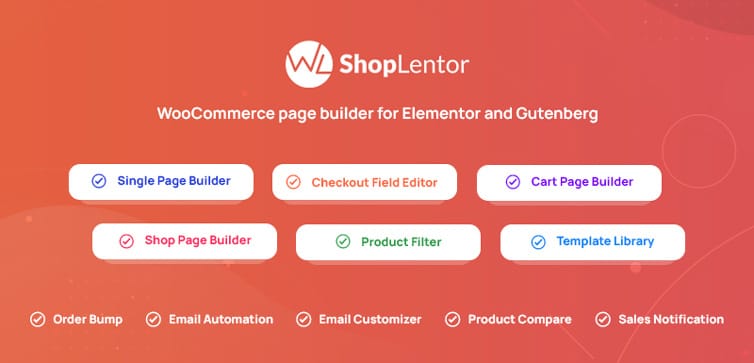
ShopLentor is a WooCommerce page builder plugin that turns complex store design into a visual drag-and-drop process. It is built specifically for online store owners.
If you plan to sell products or services with online checkout, ShopLentor is the right tool. For a purely informational website (restaurant, portfolio), a lighter page builder like Elementor alone is sufficient.
Elementor or Gutenberg?
ShopLentor works with both. Gutenberg is built into WordPress and requires no extra install — ideal for simplicity. Elementor (free) gives more design flexibility and is better for complex shop pages. For most small business stores, Elementor + ShopLentor is the recommended combination.
Installing ShopLentor
- In WordPress, go to Plugins > Add New.
- Search for WooCommerce – install and activate it first (ShopLentor requires it).
- Search for ShopLentor – install and activate it.
- If using Elementor, install and activate that too.
- ShopLentor will now appear in your WordPress left menu. Open it to access templates and settings.
Free vs. Pro — What Do You Actually Need?
The free version includes 116+ widgets and 21+ shop layouts, more than enough to launch a professional store. Upgrade to Pro (from $59/half year) only when you specifically need wishlists, quick-view popups, countdown timers, or product comparison features.
Learn More: ShopLentor(formerly WooLentor) WooCommerce Page Builder Plugin for Elementor: A Comprehensive Review
7. Creating Essential Pages
Every business website needs these five core pages. Do not launch without them — missing pages signal to visitors that your site is incomplete and untrustworthy.
- Home: State clearly what you do, who you help, and include a strong call-to-action button such as Shop Now, Book a Free Call, or Get a Quote. Visitors decide within five seconds whether to stay or leave.
- About: Tell your story and build trust. Include why you started the business, what makes you different, and photos of yourself or your team. Customers buy from people they believe in, not faceless companies.
- Products / Services: Use ShopLentor’s ready-made layouts to display your offerings with high-quality photos, clear descriptions, and pricing. For physical products, add size and color variations. For services, include tiered pricing (Basic, Standard, Premium).
- Contact: Include your phone number, email, physical address if applicable, a simple contact form, and an embedded Google Map for businesses with a physical location. Make it as easy as possible for customers to reach you.
- Privacy Policy: Legally required if you collect any personal data, including email newsletter signups or contact form submissions. Use a free generator at termsfeed.com or iubenda.com and paste the result into a new WordPress page.
Recommended Blogs for you:
👉 How to Choose the Best Hosting for WooCommerce
👉 20+ Essential WooCommerce Plugins for Your Website
👉 How to Create an eCommerce Website Using WooCommerce
👉 How to Set up eCommerce Tracking in Google Analytics
👉 12 Best WooCommerce Coupon Plugins in 2025
8. Get Found on Google (SEO Basics)
A beautiful website is useless if no one can find it. Search engine optimization (SEO) is the practice of making your website appear in Google search results when customers look for businesses like yours.
The good news is that basic SEO does not require technical expertise, it requires understanding what your customers are searching for and making sure your pages answer those queries clearly.
Start With Keyword Research
Keywords are the words and phrases people type into Google. A Boston bakery should target terms like custom birthday cakes Boston, gluten-free bakery near me, or wedding cake Boston.
Free tools to discover what your customers are searching for: Google Autocomplete (start typing your service into Google and note the suggestions), Ubersuggest (free tier), and AnswerThePublic.com which shows questions people ask around your topic.
Install an SEO Plugin
Install Yoast SEO or Rank Math (both free). These guide you to optimize every page and blog post with a simple traffic-light system, green means good, red means it needs work. They also automatically generate your sitemap, which you submit to Google Search Console.
On-Page Basics
- Include your keyword in the page title, first paragraph, and at least one heading.
- Write a meta description of 155 characters — this is the text Google shows in search results under your page title.
- Add descriptive alt text to every image (e.g., chocolate birthday cake Boston bakery).
- Use clean URLs: yourbusiness.com/birthday-cakes, not /page?id=123.
Finally, set up Google Search Console (free at search.google.com/search-console) and submit your sitemap (yourdomain.com/sitemap.xml). Google will begin indexing your site within days
9. Set Up Google Business Profile (Local Businesses Must Do This)
Google Business Profile is how your business appears on Google Maps and in local search results. When someone searches for a plumber near me or a bakery in [your city], Google shows a map with local listings.
Without a profile, your business will not appear, regardless of how good your website is. Setup is free and takes about 15 minutes at business.google.com.
- Enter your business name, category, address, phone, and website.
- Verify via the postcard Google sends to your address.
- Add at least 10 photos, your opening hours, and a business description.
- Ask satisfied customers to leave a Google review — this is the strongest local ranking signal.
10. Secure Your Website
Hackers target small business sites because they are often poorly protected. A hacked site can expose customer data and take your business offline. These steps take less than 30 minutes and protect you from the most common attacks:
- Use a strong password (16+ characters) for your WordPress admin account. Never use admin as your username.
- Enable two-factor authentication — install the free plugin WP 2FA so every login requires a code from your phone.
- Install Wordfence Security (free) — it blocks brute-force attacks and scans for malware.
- Add reCAPTCHA to your contact form to stop spam bots (available in WPForms or Contact Form 7).
- Set up automatic backups with UpdraftPlus (free) — backs up to Google Drive or Dropbox daily.
- Keep WordPress, your theme, and all plugins updated — outdated software is the number one cause of hacked sites.
11. Accept Online Payments
WooCommerce supports all major payment methods. Go to WooCommerce > Settings > Payments to enable and configure each gateway:Payment Gateway Transaction Fee Stripe (cards) 2.9% + $0.30 per transaction PayPal 3.49% + fixed fee Square 2.6% + $0.10 per transaction Bank Transfer No fee (manual)
ShopLentor lets you fully design your checkout page. Remove unnecessary fields to reduce friction and add trust badges near the payment area to increase conversions.
12. Track Your Visitors with Google Analytics
Google Analytics (free) shows you who visits your site, where they come from, which pages they read, and how long they stay.
To set it up: visit analytics.google.com, create a property for your website, copy your Measurement ID (G-XXXXXXXXXX), then install the free Site Kit by Google plugin or HT Easy GA4 Plugin in WordPress and connect your account. You will immediately start seeing visitor data in your dashboard.
Learn More about How to Install Google Analytics on WordPress: A Step-By-Step Guide
13. Common Problems and Quick Fixes
| Problem | Quick Fix |
| Site looks broken | Clear browser cache (Ctrl+Shift+R) |
| Plugin conflict | Deactivate plugins one by one to identify the culprit |
| No padlock / HTTPS | Install Really Simple SSL and verify SSL in cPanel |
| 404 page errors | Go to Settings > Permalinks and click Save Changes |
| Contact form not sending | Install WP Mail SMTP and connect to your email provider |
| Site loading slowly | Install a caching plugin (W3 Total Cache) and compress images (Smush) |
14. Adding Professional Features
When your business expands, you may desire advanced features. ShopLentor renders these available without technical skills. Include wishlists to enable customers to save products. Prepare comparison tables in order to compare options.
Add product quick view popups. Product information does not require customers to move out of the shop page. This enhances the shopping process and makes it faster.
Include social evidence in the form of customer reviews and ratings. ShopLentor offers gorgeous review designs that create trust. It is also possible to demonstrate the number of people who purchased each product in the recent past.
Make sales urgent with countdown timers. Display inventory to promote fast action. Include recently viewed sections to enable customers to locate products that they previously viewed.
15. Your Website Launch Checklist
Before You Go Live — Check Every Item
[1]Domain purchased and pointing to hosting
[2] WordPress installed and dashboard accessible
[3] SSL certificate active — padlock showing in browser
[4] Professional email address created
[5] ShopLentor + WooCommerce installed and activated
[6] Theme chosen and customized with your brand colors
[7] All 5 core pages created (Home, About, Products, Contact, Privacy Policy)
[8] Yoast SEO or Rank Math installed and configured
[9] Google Search Console verified and sitemap submitted
[10] Google Business Profile created and verified
[11] Google Analytics connected via Site Kit
[12] Wordfence, WP 2FA, and UpdraftPlus activated
[13] Site tested on mobile — all buttons and text readable
[14] Payment gateway connected and test order placed
Video Presentation on How to Create a Small Business Website Within $100
Troubleshooting Common Issues
Well, sometimes things do not go as planned. That’s normal and fixable. If your site appears to be broken, try emptying your browser cache first. This immediately resolves many display issues.
In case a plugin is conflicting with another, turn off the plugins one by one until the problem is identified. Only necessary plugins should be kept. Unnecessary plugins can slow down your site and potentially cause conflicts.
You can find a way out when you get stuck because WordPress has a huge community. There are thousands of tutorials, forums, and Facebook groups to assist. ShopLentor is also offering documentation and support for the features of the plugin.
Don’t be afraid to ask for help. All website owners began as amateurs. The WordPress community is typically welcoming and eager to assist new members in achieving success.
🚀 Supercharge Your Facebook Advertising with Pixelavo!
Unlock the full potential of your Facebook ads. Boost conversions, increase ROI, and reach new heights with Pixelavo’s powerful features.
Frequently Asked Questions
How much does building a small business website cost?
Building a small business website costs between $50 and $200 annually. This includes domain registration ($10-$15), hosting ($3-$15 per month), and optional premium themes or plugins ($30-$100).
Can I create a website without any coding experience?
Yes, modern website builders like WordPress with the ShopLentor plugin offer drag-and-drop functionality. You can build professional sites without writing a single line of code.
How long does it take to build a website?
A basic business website can be created in 2-8 hours. This includes WordPress setup, theme installation, essential page creation, and basic customization with drag-and-drop tools.
What’s the difference between WordPress.com and WordPress.org?
WordPress.org offers full control and customization options with plugins like ShopLentor. WordPress.com has limitations and fewer customization features for business needs.
Do I need technical skills to maintain my website?
Basic website maintenance requires minimal technical skills. Regular updates, content additions, and backups can be handled through simple WordPress dashboard interfaces.
Start Building Your We
Start Building Your Website Today
There is no need to have technical skills to build your business website anymore. Such tools as WordPress and ShopLentor make it affordable to everyone to create a professional website. The free version will allow you to begin and upgrade your business.
The hardest part is starting. Once you start, you will find that it is not as difficult as you thought. Every little action makes you confident. In no time, you will have a professional website that will be attracting new customers to your business.
Waiting until you know it all or until you get the right time is not the way to go. Begin now with what you know. Your site can be developed as you develop. It is not the cost of getting online, but rather the cost for customers to find you.
Your rivals may already have websites that are enticing your prospective clients. Each day that you wait is a day of lost chances. Now is the time to start and become one of the millions of small businesses that are succeeding online.
Keep in mind that you do not have to construct everything at the moment. Begin with a basic home page and contact page. Add further when you become comfortable. ShopLentor and WordPress allow easy expansion at any time you are willing.
Your small business has the right to be professional online. There is no need to be satisfied with less with the tools that are available today. Build your own site, express your passion, and see your business grow bigger than you ever imagined.