Modern eCommerce Website Strategies for Sustainable Growth

Quick Answer: Sustainable eCommerce growth comes from fixing the friction points that quietly cost you sales: slow pages, weak product information, a complicated checkout, and no post-purchase retention plan. For WooCommerce stores, the highest-impact starting points are Core Web Vitals performance, product page completeness, and checkout flow simplification. Measure progress through conversion rate, cart abandonment rate, and customer lifetime value — not just traffic.
Most eCommerce guides treat growth as a traffic problem. Getting more visitors is only useful if the store can convert them and keep them.
A store with poor performance, a frustrating checkout, and no post-purchase plan will spend more acquiring the same customers repeatedly, and never build the compounding revenue that makes growth sustainable.
This guide covers 12 practical improvements across the technical, conversion, retention, and operational foundations of a WooCommerce store. The final section shows how to sequence them over 90 days so you are fixing the right things first.
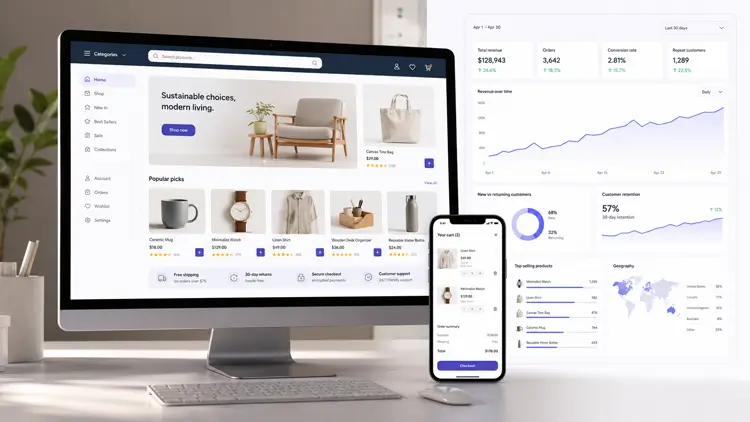
Whether you’re running a small online boutique or a large enterprise store, adopting modern eCommerce website strategies can help you attract more customers, increase conversions, and build long-term brand loyalty.
Table of Contents
What “Sustainable eCommerce Growth” Actually Means
Sustainable growth means your store generates increasing revenue while the cost of acquiring and retaining each customer declines over time. Three levers drive this:
- Acquisition efficiency: Organic and referral traffic that does not require constant ad spend to maintain.
- Conversion rate: The percentage of visitors who complete a purchase.
- Customer lifetime value: How much a customer spends across multiple orders.
Every strategy in this guide ties directly to one or more of these levers. If you are running a WooCommerce store, you already have the infrastructure to execute all of them. The gap is almost always implementation and prioritization.
12 eCommerce Website Strategies for Sustainable Growth
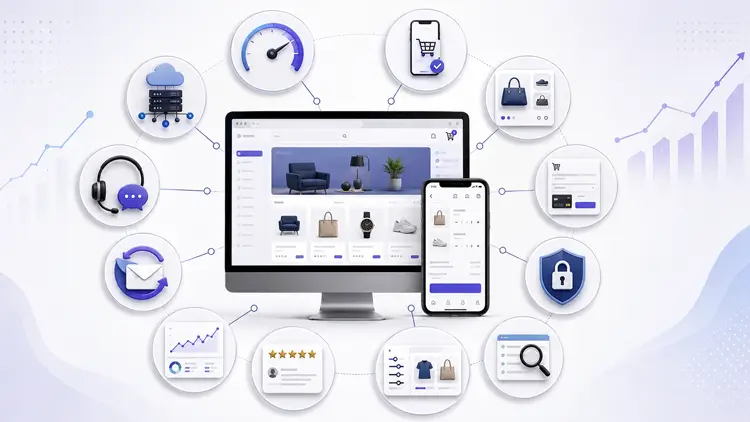
1. Fix Website Speed and Core Web Vitals First
Core Web Vitals measure important aspects of page experience, and performance improvements can also reduce friction for shoppers. A WooCommerce store on poorly optimized hosting, with uncompressed images, unnecessary plugin overhead, and no caching,can develop significant page speed issues that affect both search performance and conversion.
Step 1: Measure your baseline before changing anything
Run your store through Google PageSpeed Insights and record the scores for:
- Largest Contentful Paint (LCP): Target under 2.5 seconds.
- Cumulative Layout Shift (CLS): Target under 0.1.
- Interaction to Next Paint (INP): Target under 200ms.
These thresholds come from Google’s Core Web Vitals documentation and represent the “Good” range for user experience.
Step 2: Fix in priority order
- Hosting: Shared hosting is the most common performance ceiling for WooCommerce stores. If LCP remains above 4 seconds after other fixes, the server response time is likely the bottleneck. Consider managed WordPress hosting with dedicated resources.
- Image optimization: Convert product images to WebP format. Enable lazy loading for images below the fold, but do not lazy-load the hero image or the first visible product — that degrades LCP.
- Plugin overhead: Some plugins add frontend assets, database queries, or additional PHP processing. Audit active plugins to identify duplicated functionality and measurable performance overhead, then deactivate and delete anything not actively needed.
- Caching: Enable page caching for eligible storefront pages, while excluding dynamic WooCommerce pages such as Cart, Checkout, and My Account, which must serve personalized content. Follow your caching plugin’s configuration guidance for WooCommerce specifically.
- JavaScript deferral: Defer non-critical scripts so they do not block the initial page render.
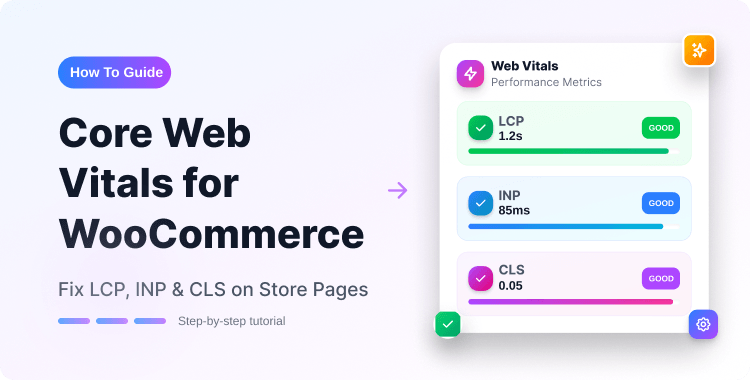
For a deeper look at Core Web Vitals specifically for WooCommerce stores, see this Core Web Vitals guide for WooCommerce.
2. Build a Mobile-First Purchase Journey
Mobile commerce accounts for a large and growing share of eCommerce sessions — but mobile sessions and mobile conversions are not the same thing. Many stores show a clear gap between mobile traffic and mobile purchase completion, meaning mobile visitors browse but abandon before buying.
The problem is rarely the responsive layout. It is usually the checkout form.
Audit your mobile purchase journey step by step:
- Can a user add a product to cart with one tap?
- Does the cart page load quickly on a mobile connection?
- Are checkout form fields large enough to tap accurately without zooming?
- Is autofill enabled for name, email, address, and card fields?
- Are mobile-native payment options (Apple Pay, Google Pay) available?
Fix the steps where users drop off before optimizing anything else. A heatmap or session recording tool will show you where taps fail on mobile — that is more actionable than any general checklist.
For WooCommerce specifically, the default checkout form can be replaced or restructured. A multi-step checkout for WooCommerce breaks the process into smaller stages, which can reduce overwhelm and improve completion rates on smaller screens.
3. Build Product Pages That Remove Purchase Doubt
A product page has one job: remove every reason a visitor might have to not buy. That requires more than a title and a photo.
The complete product page checklist:
- Title: Specific enough to answer “is this the right product for me” without reading further
- Images: Minimum 4 angles, at least one lifestyle image showing the product in use, zoom enabled
- Video: A short product demonstration can help shoppers understand what they are buying and set accurate expectations before purchasing, which reduces post-purchase returns
- Description: Structured in two parts: a 2–3 sentence summary for scanners, then full specifications for readers
- Variations: Use visual swatches, not dropdowns, for color and size. Dropdowns create uncertainty about what the selection looks like. WooCommerce product swatches plugins make this straightforward to implement.
- Reviews: Display verified purchase reviews near the add-to-cart button, not only at the bottom of the page
- FAQs: Address the 3–5 questions your support team receives most often about this product
- Shipping and returns: State clearly on the product page, not just in a footer link
For stores with large catalogs where different product types need different page structures, a WooCommerce single product page builder allows custom layouts without writing code.
Stores that cannot produce traditional product videos at scale may explore AI-assisted production. For example, Pollo AI’s tool can create presenter-led product videos without filming each demonstration manually. Any AI-generated media should still be reviewed for product accuracy and brand consistency.
4. Reduce Checkout Friction
Research from the Baymard Institute consistently identifies unexpected additional costs and forced account creation among the top reasons shoppers abandon checkout. Across the industry, cart abandonment rates average around 70%, and a meaningful portion of those exits are recoverable through checkout improvements.
The changes that have the highest impact:
- Show total cost early: Display estimated shipping on the product page or cart page, not at the payment step. Surprise costs at the final step are consistently cited as a top abandonment driver.
- Guest checkout: Making account creation optional before purchase removes a common point of friction for first-time buyers.
- Progress indicator: Show users where they are in the checkout process. Uncertainty about how many steps remain creates hesitation.
- Minimal form fields: Remove every field that is not required to fulfill the order. Middle name, fax number, and secondary phone are common culprits that add length without adding value.
- Payment methods: Offer at least three options. Credit card, PayPal, and one local or BNPL option covers most buyer preferences. Review the best WooCommerce payment gateways for your region.
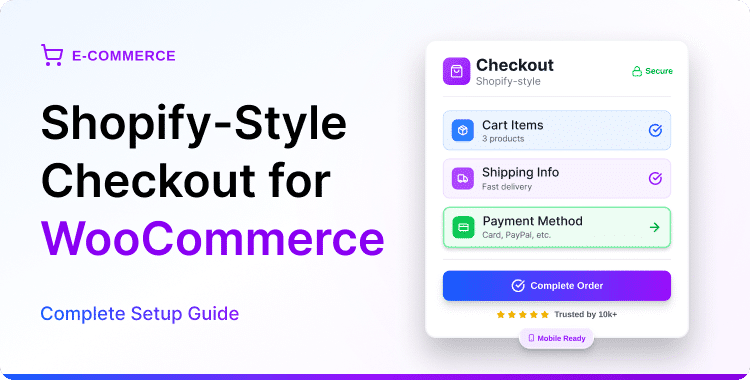
For a WooCommerce checkout experience with fewer fields and cleaner visual layout, a Shopify-style checkout for WooCommerce is worth evaluating before considering a platform migration.
5. Build Trust Signals Into the Store Architecture
Trust is not a section of your website, it is a property of every page a visitor sees before they buy. Shoppers evaluate legitimacy at the product page, the cart, and the checkout simultaneously.
Trust elements that affect purchase decisions:
- SSL certificate: HTTPS is the baseline. A padlock icon in the address bar remains a visual trust signal for many buyers. See how to install an SSL certificate on WordPress if it is not already in place.
- Payment security badges: Display these near the payment field at checkout, not only in the footer
- Return policy: State the policy in plain language and link to it from the product page. A clear, simple policy reduces pre-purchase anxiety.
- Contact information: A visible phone number or live chat widget increases purchase confidence for first-time buyers, even if they never use it
- Social proof near the buy button: A review count and star rating adjacent to the add-to-cart button is more effective than reviews only at the bottom of the page
Post-purchase trust, which determines whether customers return and recommend you,depends on support quality as much as product quality. A structured support system like SupportGenix keeps support requests tracked and resolved rather than lost in a shared inbox.
6. Drive Organic Discovery Through WooCommerce SEO
Organic search is a compounding asset. Unlike paid advertising, a well-optimized product or category page continues generating traffic after the work is done. For WooCommerce stores, SEO operates at three levels.
Product and category page SEO:
- Use the primary search term buyers use — not internal marketing language — in the product title and first 100 characters of the description
- Add structured data markup (Product schema) so Google can display price, availability, and review ratings directly in search results
- Optimize category pages with a short introduction paragraph that includes the category keyword — most WooCommerce stores leave category pages as blank product grids with no text
Blog content for organic acquisition:
- Write guides that answer questions buyers have before they know which product to buy. A buyer searching “how to choose a WooCommerce payment gateway” is a more qualified prospect than one searching a generic term.
- Internal link from blog posts to relevant product and category pages using descriptive anchor text
Technical WooCommerce SEO:
- Prevent duplicate content from pagination, filtered URLs, and tag archives using canonical tags or the noindex directive
- Ensure product images have descriptive alt text that includes the product name
- Meet Core Web Vitals thresholds, since page experience contributes to overall search performance
The WooCommerce SEO guide covers the platform-specific implementation in detail, including how to handle faceted navigation without creating duplicate content problems.
7. Use Personalization to Increase Average Order Value
Personalization does not require expensive software. The highest-ROI personalization tactics in eCommerce are built into WooCommerce or available through standard plugins.
Effective, low-cost personalization:
- Related products: Display products from the same category or with similar attributes on the product page and in the cart
- Upsell at checkout: Offer one relevant add-on during checkout, not a list. A single targeted upsell tends to perform better than multiple generic ones. WooCommerce upsell plugins make this configurable without custom development.
- Post-purchase cross-sell: The order confirmation page and email are high-engagement moments. Use them to recommend one complementary product.
- Wishlist: Customers who save items are more likely to return and complete a purchase. WooCommerce wishlist plugins add this with minimal setup.
- Flash sales with countdown timers: Time-limited offers create urgency without discounting your full catalog. A WooCommerce flash sale countdown timer makes the deadline visible.
- Live sales notifications: Showing recent purchases in a small notification can reinforce social proof in real time, particularly during launch periods.
You can read: how to add live sales notifications for WooCommerce.
8. Collect and Display Reviews Strategically
Customer reviews serve two functions: they reduce purchase uncertainty for new buyers, and they add keyword-rich content to product pages that can improve organic relevance.
The review collection process that works:
- Send a post-purchase email 7–10 days after delivery — enough time for the buyer to have used the product
- Include a direct link to the review form. Do not ask customers to find it themselves.
- Ask one specific question: “What was the most useful thing about [product name]?” This tends to produce more detailed reviews than a generic “please leave a review” request.
- For photo reviews, a small incentive on the next purchase can increase response rates
Where to display reviews for maximum effect:
- Near the add-to-cart button on the product page (star rating + count minimum)
- On category pages (aggregate rating)
- In abandoned cart recovery emails referencing what other buyers said
Consistent support quality matters here too. Slow or absent support responses generate negative reviews that are difficult to offset. Keeping response times reasonable is important.
Review customer support best practices for eCommerce if your team’s response rate is inconsistent.
9. Track the Metrics That Actually Indicate Growth
Traffic and revenue are outcome metrics. They tell you what happened, not why. The metrics below tell you where to intervene.
The metrics that diagnose store health:Metric What it tells you Conversion rate by device Where the purchase experience breaks down Cart abandonment rate How well checkout removes friction Average order value Whether personalization and bundling are working Customer lifetime value Whether retention strategy is functioning Repeat purchase rate Whether product quality and post-purchase experience drive loyalty Organic traffic by landing page Which content generates qualified discovery Return rate by product Which products have a description or expectation gap
Set up eCommerce tracking in Google Analytics to capture transaction-level data. The best WooCommerce Google Analytics plugins handle WooCommerce-specific event tracking that a standard GA4 installation does not cover automatically.
For stores with subscription products, tracking churn rate and renewal performance separately from one-time purchase revenue is essential. Subscription analytics for WooCommerce covers the metrics specific to recurring revenue.
10. Build a Retention-Focused Marketing Mix
Retaining existing customers is generally more cost-efficient than acquiring new ones — because acquisition requires ad spend, whereas retention leverages relationships already built. The stores that achieve sustainable growth invest in retention from the beginning, not as an afterthought when acquisition costs climb.
The channels that build long-term revenue:
- Email marketing: Triggered sequences (welcome, abandoned cart, post-purchase, re-engagement) generate revenue without ongoing effort after setup. WooCommerce email marketing plugins integrate directly with order and customer data.
- Loyalty and coupon programs: Rewards for repeat purchases increase both retention and average order value. WooCommerce coupon plugins extend the default coupon system with more complex reward logic.
- Content marketing: Buying guides and product comparisons attract buyers earlier in the purchase journey and build topical authority over time
- Referral programs: A satisfied customer who refers a new buyer represents one of the most cost-efficient acquisition sources available. Adding a referral mechanism to the post-purchase email sequence requires minimal setup.
- SEO as compounding infrastructure: A page that ranks continues to generate revenue with no marginal cost per visit
Paid advertising remains useful particularly for new product launches or time-limited promotions, but it should not be the primary growth engine for a store building sustainable revenue.
11. Strengthen Security Without Slowing the Store
A security failure — whether a data breach, malware injection, or payment fraud — damages customer trust faster than any marketing effort can rebuild it.
The non-negotiable security baseline:
- HTTPS on every page, including checkout
- Strong, unique passwords and two-factor authentication for admin accounts
- WordPress core, theme, and plugin updates applied promptly — most successful attacks exploit known vulnerabilities in outdated software
- Regular database and file backups stored off-server
- A Web Application Firewall (WAF) to block common attack patterns before they reach WordPress
Payment data and PCI DSS:
PCI DSS is a payment card industry security standard. Merchants may have a contractual obligation to comply with it through their payment provider agreement — it is not a government law in most jurisdictions, but non-compliance can result in fines from card networks or loss of payment processing access.
Using a fully hosted payment gateway, where card data is entered and processed on the payment provider’s servers, not yours, can significantly reduce a WooCommerce store’s PCI scope. Stripe, PayPal, and most major regional processors work this way.
Merchants using these solutions may qualify for SAQ A, the simplest PCI self-assessment form, rather than more extensive compliance requirements. Confirm the applicable validation requirements with your payment provider.
12. Design for Scalability from the Start
A WooCommerce store that works well with 50 products and 100 daily visitors may perform poorly at 5,000 products and 10,000 daily visitors, not because WooCommerce cannot scale, but because early infrastructure decisions become increasingly expensive to reverse.
The decisions that affect scale:
- Hosting infrastructure: Managed WordPress hosting with auto-scaling handles traffic spikes without manual intervention. Shared hosting does not.
- Database optimization: WooCommerce stores accumulate transient data, post revisions, and orphaned records over time. Schedule regular database maintenance to prevent query slowdown.
- Product catalog architecture: Plan your category structure, attribute taxonomy, and product variation limits before you have thousands of SKUs. Restructuring a large catalog is expensive and disruptive.
- Multi-currency and multi-language: If international expansion is a possibility, implement these systems early. Retrofitting them into a large existing store is significantly more complex.
- Third-party integrationss: Every API call to an external service (shipping rates, tax calculation, CRM sync) adds latency. Audit integration performance as the store grows.
Before launching or relaunching, work through a structured WooCommerce store readiness checklist to identify configuration gaps before they affect real customers.
90-Day Priority Framework
Not everything in this guide needs to happen at once. This sequence puts the highest-impact fixes first.
Days 1–30 — Stop the bleeding:
- Measure Core Web Vitals baseline and fix the top 3 issues
- Audit and simplify the checkout flow; enable guest checkout
- Install eCommerce tracking in GA4
- Apply any outstanding security updates
Days 31–60 — Improve conversion:
- Rebuild the top 5 product pages using the complete checklist above
- Add visual swatches, reviews near the add-to-cart button, and product FAQs
- Set up post-purchase email automation (confirmation, delivery follow-up, review request)
- Implement SSL and security baseline if not already complete
Days 61–90 — Build retention:
- Launch a referral or loyalty program
- Publish 2–3 SEO-targeted blog posts that link to key product categories
- Set up upsell and cross-sell logic at checkout and in post-purchase emails
- Review core metrics: conversion rate by device, cart abandonment rate, repeat purchase rate
Frequently Asked Questions
What is sustainable eCommerce growth?
Sustainable eCommerce growth means increasing revenue while reducing the cost of acquiring and retaining each customer over time. It relies on organic traffic, high conversion rates, and repeat purchases — rather than continuous paid advertising spend.
Which WooCommerce improvements should come first?
Start with the changes that affect every visitor: page speed, checkout simplification, and product page completeness. SEO and retention improvements compound over time but take longer to show measurable results.
How does page speed affect WooCommerce sales?
Slow pages increase the likelihood that visitors leave before completing a purchase. On mobile, this effect tends to be more pronounced. For WooCommerce stores, the most common speed issues are unoptimized images, unnecessary plugin overhead, and inadequate hosting.
What makes a WooCommerce product page effective?
An effective product page removes every reason to delay purchase: it clearly answers what the product is, who it is for, what it includes, what verified buyers say about it, and what the return policy is — without requiring the visitor to leave the page to find any of that information.
Which metrics indicate whether a WooCommerce store is growing sustainably?
Conversion rate, cart abandonment rate, repeat purchase rate, customer lifetime value, and organic traffic growth. Revenue alone is not sufficient — a store can grow revenue while deteriorating on every underlying efficiency metric.
How often should a WooCommerce store be optimized?
Core metrics (conversion rate, Core Web Vitals, abandonment rate) are worth reviewing monthly. Major optimization cycles, product page audits, SEO content reviews, checkout restructuring are reasonable quarterly. Security updates should be applied as soon as they are released.
Is WooCommerce a good platform for sustainable eCommerce growth?
Yes, for stores that want control over infrastructure, SEO, and customer data. WooCommerce provides direct database access, full plugin extensibility, and no per-transaction fees. The trade-off is that optimization requires more deliberate effort than managed hosted platforms. You can check is WordPress good for eCommerce for a detailed comparison.
Conclusion
Sustainable WooCommerce growth does not come from applying every tactic at once. Start by measuring what is actually broken: run Core Web Vitals, track your checkout abandonment rate, audit your top five product pages, and check whether post-purchase emails are in place. Fix the largest source of measurable friction first, then move to the next priority.
Over time, improvements in acquisition efficiency, conversion rate, and customer retention compound in ways that paid advertising alone cannot. A store that loads fast, converts reliably, and keeps customers coming back costs less to grow each year — not more.
That is what sustainable growth looks like in practice.